
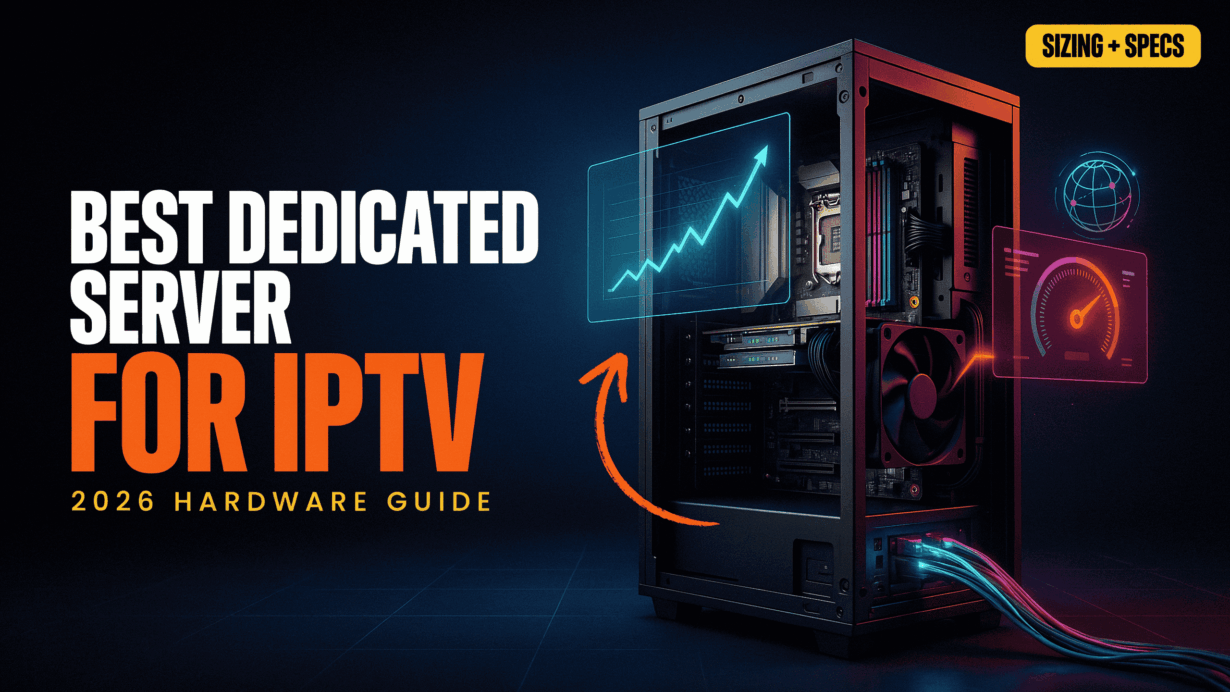
Running an IPTV platform successfully depends on infrastructure performance during peak concurrent demand, not total subscriber count. Most buffering, latency or stream the interruptions occur because of undersized network ports, overloaded CPUs, insufficient RAM and slow storage systems—not the IPTV panel itself.
The most common mistake is sizing an IPTV server based on registered users instead of peak concurrent viewers. A platform with thousands of subscribers may only have a few hundred active viewers most of the time, but major live events can rapidly increase bandwidth and processing demands.
This guide explains the exact Dedicated Server for IPTV sizing the requirements needed for the stable streaming, including the bandwidth calculations, CPU recommendations, RAM allocation or NVMe storage performance. You’ll also learn when a 10Gbps streaming IPTV server becomes necessary and what hardware specifications are required to support hundreds or thousands of concurrent viewers without buffering or downtime.

In video streaming infrastructure, your total subscriber count is a vanity metric. Your hardware must be strictly engineered for peak concurrent viewership—because a network port fails at the exact moment your audience spikes during a live event.
The Streaming Bottleneck: Why Standard VPS Hosting Fails for IPTV
Many IPTV operators start with a VPS because it appears cost-effective and easy to deploy. The problem is that video streaming places demands on infrastructure that traditional virtualized were never designed to handle. Continuous live streaming requires predictable CPU performance, low-latency networking and consistent disk access—resources that are often shared among dozens of customers on the same physical server.
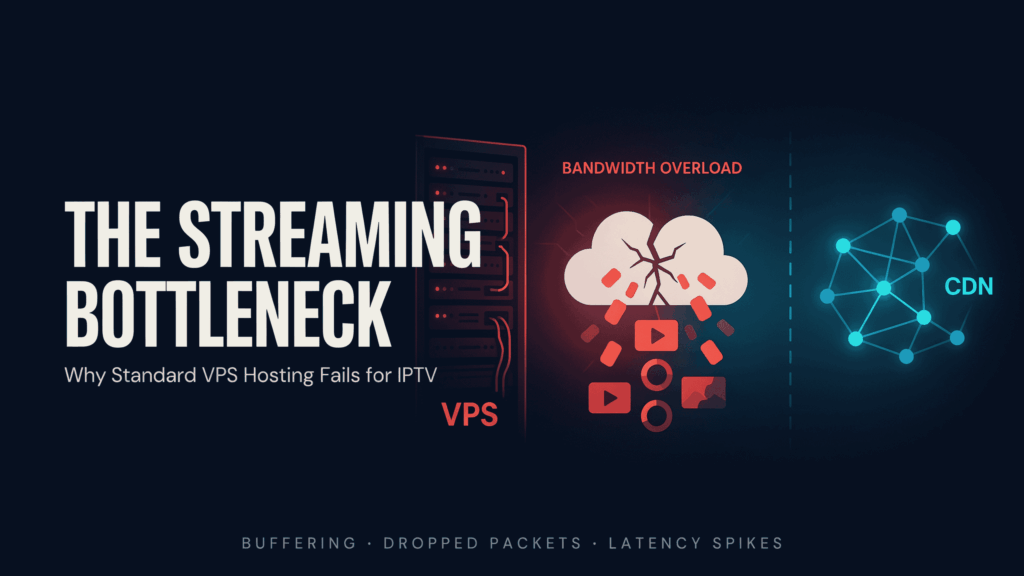
The biggest threat to streaming stability is the “noisy neighbor” effect. In a shared virtualization, multi VPS instances compete for the same CPU cores, memory channels, storage subsystem and network interface. When another tenant suddenly consumes excessive resources, your IPTV streams can experience increased latency, packet loss and throughput degradation without any changes on your own server.
For IPTV workloads, even brief resource contention can be disastrous. Live streams rely on a constant flow of UDP, MPEG-TS, HLS or RTMP packets. Unlike traditional websites, which can be tolerate the minor delays and video streams require to uninterrupted delivery. A few milliseconds of network instability can result in buffering, pixelation, audio synchronization issues or complete stream interruptions for viewers.
“A shared hypervisor cannot guarantee zero-latency UDP packet delivery. For live IPTV workloads, bare-metal dedicated hardware is not a luxury; it is a structural necessity to eliminate CPU steal time and prevent micro-stuttering.”
Another overlooked issue is CPU steal time. On a VPS, the hypervisor controls access to the physical processor. When the host node becomes overloaded, virtual CPUs must wait for execution time. During peak demand, this creates unpredictable performance that directly impacts middleware responsiveness, stream processing and transcoding workloads. This is one of the reason why the VPS that performs well during testing can struggle during major sporting events or peak viewing hours.
Network limitations create an additional bottleneck. Many VPS providers advertise high bandwidth allocations while placing hundreds of virtual machines behind the same uplink. As utilization increases across the node, available throughput per VPS decreases. This makes it difficult to sustain the traffic levels required for the growing IPTV platform, especially when serving hundreds of concurrent viewers.
The Operators searching for the best dedicated server for IPTV quickly discover that virtualization the introduces variables that cannot be fully controlled. Dedicated infrastructure eliminates shared-resource contention by providing the exclusive access to CPU cores, memory, storage or network capacity. This is particularly important when calculating the IPTV server sizing requirements for platforms expected to handle the consistent growth.
Decoding IPTV Server Specs: The 4 Pillars of Performance
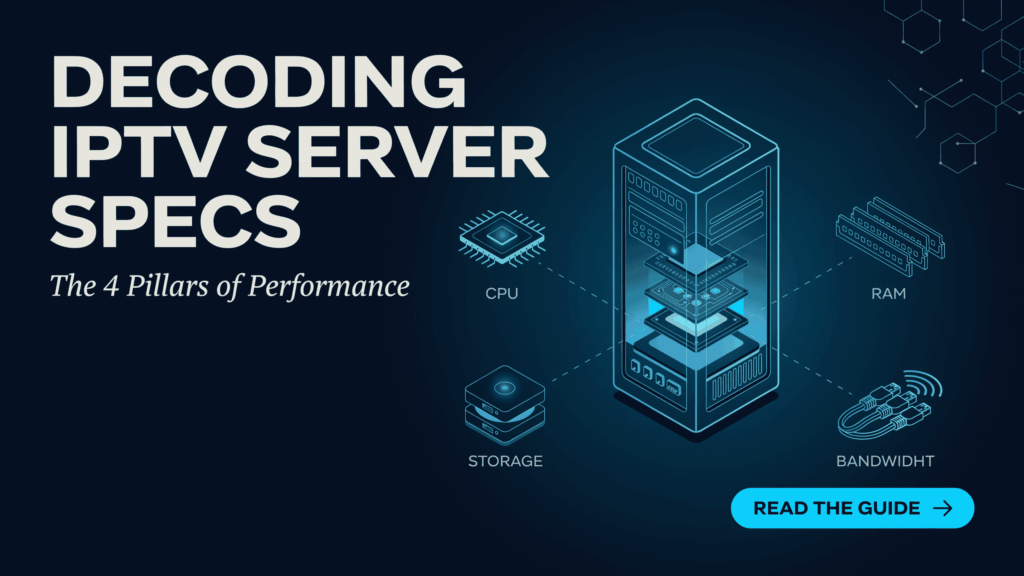
Selecting the best dedicated server for IPTV comes down to four critical resources: the network bandwidth, CPU performance, RAM capacity or storage speed. If any one of these becomes a bottleneck, viewers experience buffering, latency and playback interruptions.
Network Uplink Capacity: The Formula That Determines IPTV Scalability
When evaluating the best dedicated server for IPTV, the bandwidth capacity should be calculated before selecting the CPU and storage configuration. Most streaming failures occur because the operators underestimate how quickly concurrent viewers consume available network throughput.
The sizing formula is straightforward:
Total Bandwidth Required = Peak Concurrent Viewers × Average Stream Bitrate
For example:
| Concurrent Viewers | Average 1080p Bitrate (6 Mbps) | Required Bandwidth |
|---|---|---|
| 100 Viewers | 6 Mbps | 600 Mbps |
| 200 Viewers | 6 Mbps | 1.2 Gbps |
| 500 Viewers | 6 Mbps | 3 Gbps |
| 1,000 Viewers | 6 Mbps | 6 Gbps |
A common mistake is assuming a 1Gbps port can continuously deliver its full theoretical capacity. In production, network utilization should remain below 70–80% to account for protocol overhead, traffic bursts, packet retransmissions and network jitter.
| Dedicated Port | Recommended Maximum Capacity |
|---|---|
| 1Gbps | Up to 140–200 concurrent 1080p viewers |
| 10Gbps | 1,500+ concurrent 1080p viewers |
| 25Gbps+ | Large IPTV and VOD distribution networks |
For operators planning long-term growth, a 10Gbps dedicated server streaming provides significantly more scalability and eliminates the risk of port saturation during major sporting events, pay-per-view broadcasts or peak viewing hours. This is why modern the IPTV server sizing requirements increasingly the prioritize unmetered 10Gbps connectivity as the foundation of reliable, high-concurrency streaming infrastructure.
CPU Sizing for IPTV: Direct Play vs Real-Time Transcoding
CPU selection depends entirely on how streams are delivered. This is one of the most misunderstood aspects of IPTV server sizing requirements, often leading operators to overspend or severely under-provision their infrastructure.
Direct Play: The Network-Bound Workloads :
In a Direct Play, the server simply receives ordistributes streams without modifying the video. Since no encoding takes place, CPU utilization remains relatively low.
Typical requirements:
- 16-32 CPU cores
- High-performance network interface (NIC)
- Fast NVMe storage for VOD content
- Sufficient RAM for middleware and caching
For most IPTV panels serving pre-encoded streams, an 8-core dedicated server can comfortably support hundreds of viewers, provided the network uplink is properly sized.
Real-Time Transcoding: Compute-Bound Workloads
Transcoding is a completely different workload. The server must decode an incoming stream or generate multiple output profiles for Adaptive Bitrate (ABR) delivery, such as converting a 4K source into 1080p, 720p and 480p streams simultaneously.
This process is extremely CPU-intensive and scales with viewer demand.
| IPTV Workload | Recommended CPU |
|---|---|
| Direct Play | 8–16 Cores |
| Light Transcoding | 16–32 Cores |
| Heavy ABR Transcoding | 32+ Core AMD EPYC |
| Large-Scale Encoding Farms | 64–128 Core AMD EPYC |
For modern AMD EPYC for the IPTV transcoding deployments, high-core-count processors provide the parallel processing power required by FFmpeg, Flussonic or similar encoding the platforms. When evaluating the best dedicated server for IPTV, an 8-core CPU is sufficient for Direct Play, while 32+ core AMD EPYC processors become essential for real-time ABR transcoding at scale.
RAM Sizing for IPTV Middleware: Caching, Databases and Platform Stability
While the bandwidth and CPU resources they receive most of the attention, insufficient memory is a common cause of slow the IPTV panels, delayed channel loading or database instability. Modern IPTV middleware platforms such as Xtream UI rely heavily on RAM to process the user sessions, cache video segments or handle thousands of database queries simultaneously.
RAM serves two critical functions:
- Caching frequently accessed content to reduce storage latency
- Supporting database operations for users, channels, EPG data and authentication requests
As viewer activity grows, the middleware database becomes increasingly memory dependent. When available the RAM is exhausted, the server begins swapping data to disk, dramatically reducing performance or increasing response times.
For production, ECC (Error-Correcting Code) RAM is strongly recommended. ECC memory detects or corrects memory-level errors that can be cause database corruption, service instability or unexpected crashes.
| IPTV Deployment Size | Recommended ECC RAM |
|---|---|
| Small Panel | 32GB |
| Growing Platform | 64GB |
| High-Concurrency IPTV Service | 128GB+ |
These recommendations align closely with the common Xtream UI hardware requirements or modern the IPTV server sizing requirements.
For VOD-heavy platforms, additional RAM can be used to cache popular content directly in memory, reducing storage reads or improving playback responsiveness. When building the best dedicated server for IPTV, memory should be viewed as a performance and reliability investment rather than simply a system requirement.
Storage Performance and IOPS: Why NVMe SSDs Are Essential for IPTV VOD
Storage is often the hidden bottleneck in the IPTV, especially for Video-on-Demand libraries. While live streaming primarily depends on the network throughput, VOD performance depends heavily on how quickly the server can be retrieve thousands of video files when viewers press “Play.”
Traditional HDDs struggle because they rely on moving mechanical parts. When hundreds of the users access different of movies and TV episodes simultaneously, the drive must constantly jump between file locations, creating significant delays. The result is buffering, slow playback starts, freezing or inconsistent streaming performance.
“VOD buffering is rarely a network bottleneck; it is almost always an IOPS failure. NVMe SSDs bypass mechanical seek latency, turning massive video libraries into instant-play ecosystems even under extreme concurrent loads.”
The key metric here is IOPS (Input/Output Operations Per Second), which measures how many read and write the requests of a storage device can be processed.
| Storage Type | Typical IOPS |
|---|---|
| SATA HDD | 100–200 |
| SATA SSD | 50,000–100,000 |
| NVMe SSD | 500,000+ |
For example, if 500 viewers start 500 different VOD titles at the same time, a mechanical HDD quickly becomes overwhelmed by random read requests. An the NVMe SSD, however, can be handle these requests with minimal latency, ensuring fast content delivery or smooth playback.
This is why modern the IPTV server sizing is required and Xtream UI hardware requirements increasingly the favor of NVMe SSD storage over traditional hard drives. For the operators seeking the best dedicated server for IPTV, deploying high-performance NVMe drives is no longer optional—it is a fundamental requirement for delivering a responsive, scalable or buffer-free VOD experience.
IPTV Server Sizing Calculator
Use the calculator below to the estimate your ideal the IPTV server specs based on viewer concurrency or average stream bitrate. The results provide a practical baseline for determining the bandwidth requirements, network uplink capacity or overall, the IPTV server sizing requirements.
The calculation follows the same methodology used by the network engineers when designing the large-scale streaming:
Required the Bandwidth = Peak Concurrent Viewers × Average Stream Bitrate
To get the most accurate estimate, enter:
- Peak Concurrent Viewers (not total subscribers)
- Average Stream Quality (720p, 1080p or 4K)
- Direct Play and Transcoding Workload
- Live Streaming, VOD or Hybrid Deployment
The generated results can be helping the determine:
- Whether a 1Gbps or 10Gbps dedicated server streaming is required
- Appropriate CPU sizing for Direct Play or transcoding
- Recommended ECC RAM allocation
- Suitable NVMe storage capacity for VOD libraries
- Baseline unmetered streaming server specs for future growth
Remember that the infrastructure should be sized for peak demand events rather than average daily traffic. A platform that performs flawlessly during the normal operation can quickly become overwhelmed during major sports the broadcasts, premium live events or seasonal traffic spikes. This calculator provides a realistic starting point for selecting the best dedicated server for IPTV while avoiding costly under-provisioning or unnecessary hardware expenses.
IPTV Server Sizing: Recommended Hardware by Concurrent Viewers
The table below provides a quick-reference guide for common the IPTV server sizing requirements based on peak concurrent viewers. These recommendations assume H.264/H.265 streaming, production workloads and sufficient headroom for traffic spikes.
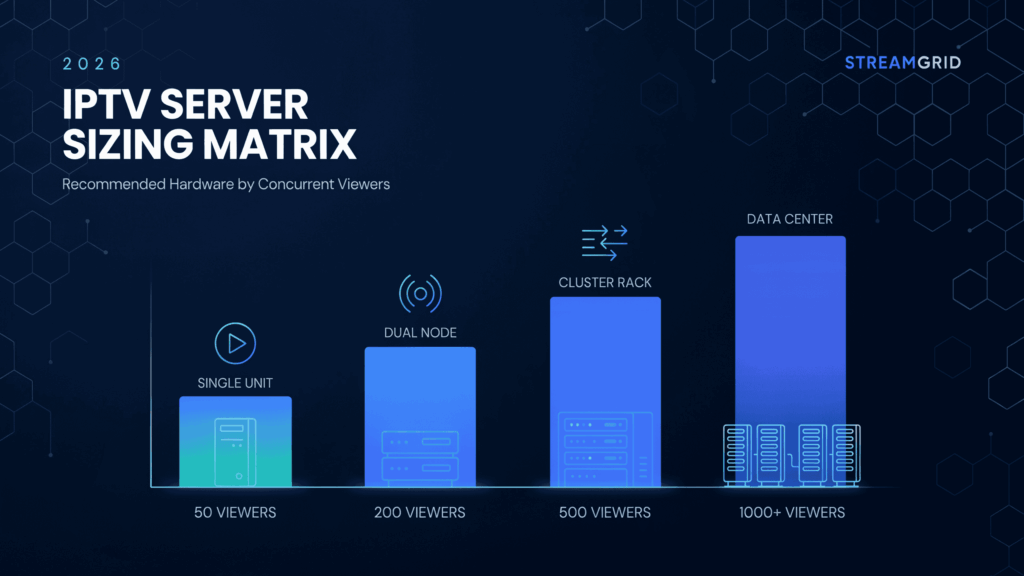
| Peak Concurrent Viewers | Recommended CPU | ECC RAM | Network & Storage |
|---|---|---|---|
| Up to 300 Viewers | 8–16 Core CPU | 32GB | 1Gbps Port, 1TB+ NVMe SSD |
| 300–1,000 Viewers | 16–32 Core CPU | 64GB | 10Gbps Port, 2TB+ NVMe SSD |
| 1,000–2,000 Viewers | 32–64 Core AMD EPYC | 128GB | 10Gbps Unmetered, 4TB+ NVMe SSD |
| 2,000+ Viewers | 64–128 Core AMD EPYC | 128GB–256GB+ | 10Gbps–25Gbps, Enterprise NVMe RAID |
Quick Sizing Guidelines
- Direct Play typically require less CPU power and are primarily limited by network bandwidth.
- Real-time transcoding significantly increases the processor requirements or often necessitates high-core-count AMD EPYC for IPTV transcoding deployments.
- ECC RAM improves stability for middleware platforms and large databases.
- NVMe SSD storage is essential for VOD libraries or high-concurrency streaming workloads.
- Once the platform is consistently exceeds 200 concurrent 1080p viewers, the 10Gbps dedicated server streaming becomes the safest long-term choice.
For the operators evaluating the best dedicated server for IPTV, this matrix serves as a practical starting point. Final sizing should always be based on stream bitrates, transcoding requirements, VOD usage patterns or expected the growth over the next 12–24 months.
Real-World IPTV Scaling Example: From 500 to 5,000 Concurrent Viewers
The IPTV operator is initially deployed its platform on a server equipped with the 1Gbps server uplink, 16 CPU cores or traditional SSD storage. Under the normal conditions, the infrastructure performed adequately, averaging 300–500 concurrent viewers.
The problem emerged during a major live sporting event. As a viewer concurrency rapidly climbed beyond the thousand users, network utilization approached maximum capacity. The server began experiencing packet loss, increased latency or stream buffering, despite CPU or memory utilization remaining relatively low. The bottleneck was not the middleware or the streams themselves—it was the saturated network port.
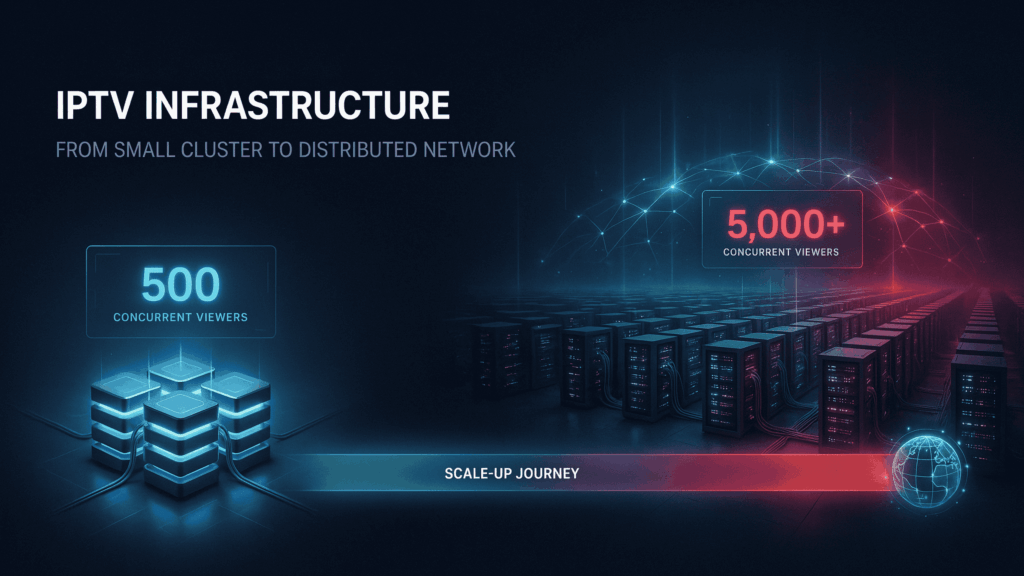
After the analyzing traffic patterns or peak demand, the operator migrated to a bare metal the IPTV server featuring:
- AMD EPYC processor
- 128GB ECC RAM
- Enterprise NVMe SSD storage
- Unmetered 10Gbps dedicated uplink
The results were immediate. Network utilization dropped to sustainable levels, packet loss disappeared or stream stability improved the significantly during peak traffic periods. The upgraded infrastructure comfortably handled over 5,000 concurrent viewers without the buffering or playback interruptions previously experienced.
This example highlights the common lesson in the IPTV server sizing requirements: scaling is rarely limited by subscriber count. The true challenge is engineering the infrastructure capable of supporting peak concurrency. For growing operators, investing in a 10Gbps dedicated server streaming platform with high-core-count hardware often delivers greater reliability than repeatedly upgrading smaller systems as demand increases.
Choosing the IPTV Server Provider: What to Look for Beyond Specs
After the calculating your IPTV server sizing requirements, the next decision is selecting an infrastructure provider capable of delivering those resources consistently under real-world load. Specifications on paper mean little if the underlying network, hardware quality and deployment philosophy cannot support peak streaming demand.

For IPTV operators, several infrastructure characteristics have become increasingly important:
- Dedicated bare-metal servers with no shared-resource contention
- AMD EPYC processors for high-density transcoding and multi-threaded workloads
- Unmetered 10Gbps connectivity for predictable scaling
- Enterprise NVMe SSD storage for VOD performance
- ECC memory for database and middleware stability
- Strong privacy and data-control practices
This is where providers built specifically around performance-focused infrastructure stand out. For example, Owrbit’s approach aligns closely with the requirements of outlined throughout this guide: bare-metal AMD EPYC deployments, unmetered the 10Gbps networking, enterprise NVMe storage and privacy-focused infrastructure designed for high-bandwidth applications.
“True scalability requires completely eliminating resource contention. By pairing unmetered 10Gbps uplinks with high-density AMD EPYC processors, professional operators future-proof their networks against sudden live-event traffic spikes.”
Rather than relying on heavily oversubscribed virtualized, this type of architecture eliminates many of the bottlenecks that commonly affect IPTV services, including CPU steal time, network congestion and storage latency. The result is a more predictable platform for operators running live channels, VOD libraries, or large-scale streaming networks.
When evaluating the best dedicated server for IPTV, the goal should not be finding the lowest-cost server. The objective is selecting infrastructure that can sustain peak concurrency, maintain low latency and provide enough headroom for future growth. Providers that combine AMD EPYC processors, 10Gbps dedicated server streaming and bare metal IPTV hosting principles represent the benchmark many modern streaming operators now use when planning long-term infrastructure investments.
Frequently Asked Questions:
Selecting the best dedicated server for IPTV often raises questions about the bandwidth, CPU requirements, transcoding, storage performance or long-term scalability. The answers below address the most common concerns IPTV operators have when planning infrastructure upgrades, calculating IPTV server sizing requirements and building a reliable streaming environment.
Proper the infrastructure planning is the foundation of a stable IPTV platform. By understanding the bandwidth demands, hardware limitations or growth projections, operators can deploy the right combination of AMD EPYC processing power, NVMe storage or 10Gbps server dedicated connectivity to ensure smooth streaming performance today while remaining to prepared for the future audience growth.
What specs do I need for an IPTV server?
A typical IPTV server should include at least 8–16 CPU cores, 32GB+ ECC RAM, NVMe SSD storage, and a dedicated network uplink. Larger deployments serving hundreds or thousands of viewers often require AMD EPYC processors, 64GB–128GB RAM, and 10Gbps networking. Owrbit helps operators match hardware specifications to actual viewing demand rather than overspending on unnecessary resources.
How much bandwidth does an IPTV server need?
Bandwidth requirements depend on concurrent viewers and stream quality. A 1080p stream typically consumes 5–8 Mbps per user. IPTV operators should calculate bandwidth using: Concurrent Viewers × Average Stream Bitrate. For large-scale deployments, Owrbit’s unmetered 10Gbps infrastructure provides the headroom needed for peak traffic events.
Is a 1Gbps server enough for IPTV?
A 1Gbps server can support small IPTV platforms but often becomes a bottleneck as viewer counts grow. Most production environments should keep utilization below 80%, limiting a 1Gbps connection to roughly 140–200 concurrent 1080p viewers. Operators planning long-term growth generally benefit from 10Gbps connectivity.
When should I upgrade to a 10Gbps IPTV server?
A 10Gbps dedicated server becomes necessary when viewer concurrency consistently approaches the limits of a 1Gbps uplink or when major live events generate traffic spikes. High-capacity streaming platforms often adopt 10Gbps infrastructure before reaching saturation to maintain stable performance.
Why are AMD EPYC processors recommended for IPTV?
AMD EPYC processors offer high core counts, large cache pools, and excellent multi-threaded performance. These advantages make them particularly effective for IPTV transcoding, FFmpeg workloads, middleware operations, and large-scale video delivery. Many modern IPTV operators choose AMD EPYC servers for their performance and scalability.
Is AMD EPYC better than Intel Xeon for IPTV transcoding?
Both platforms are capable, but AMD EPYC processors often provide more cores per socket and stronger performance-per-dollar for heavily parallel workloads. For IPTV operators running adaptive bitrate transcoding, EPYC-based servers are frequently selected due to their ability to handle multiple encoding tasks simultaneously.
How much RAM does an IPTV server need?
Small IPTV deployments typically require 32GB ECC RAM. Growing services often need 64GB, while large-scale operations serving thousands of users may require 128GB or more. Owrbit recommends sizing RAM based on middleware activity, database load, and VOD caching requirements.
Why is ECC RAM important for IPTV?
ECC RAM helps detect and correct memory errors before they impact applications or databases. For IPTV platforms that operate continuously, ECC memory improves reliability, stability, and long-term performance.
Are NVMe SSDs necessary for IPTV hosting?
Yes. NVMe SSDs provide significantly higher IOPS and lower latency than traditional hard drives. They are especially important for VOD libraries where hundreds of viewers may access different files simultaneously. Owrbit infrastructure uses enterprise-grade NVMe storage to help eliminate VOD bottlenecks.
Can I run IPTV on HDD storage?
While possible, HDD storage is not recommended for modern IPTV platforms. Mechanical drives struggle with concurrent random read requests and can introduce buffering, slow loading times, and poor VOD performance.
What is bare metal IPTV hosting?
Bare metal IPTV hosting provides dedicated access to physical hardware without virtualization overhead. Unlike VPS environments, operators receive exclusive CPU, RAM, storage, and network resources, resulting in more predictable streaming performance.
Why do IPTV streams buffer during live events?
Buffering during live events is often caused by saturated network ports, insufficient bandwidth, overloaded CPUs, slow storage, or poor server sizing. Properly engineered infrastructure with adequate headroom can significantly reduce these issues.
How many viewers can a dedicated IPTV server support?
There is no universal number because capacity depends on bitrate, transcoding workload, and network configuration. A properly configured server with a 10Gbps uplink can support thousands of concurrent viewers when sized correctly.
What are the Xtream UI hardware requirements?
Xtream UI requirements vary depending on channel count and active users. Most production deployments benefit from dedicated CPUs, ECC memory, NVMe storage, and high-speed networking. Owrbit’s bare-metal server configurations align closely with the requirements of demanding Xtream UI environments.
Is unmetered bandwidth important for IPTV?
Yes. IPTV traffic can fluctuate significantly during major broadcasts and sporting events. Unmetered bandwidth provides predictable operating costs and removes concerns about unexpected overage charges during peak demand.
How do I choose the right IPTV hosting provider?
Look for providers that offer dedicated hardware, AMD EPYC processors, NVMe SSD storage, ECC RAM, unmetered high-speed networking, and infrastructure designed for bandwidth-intensive applications. Providers such as Owrbit focus on these core requirements, making them a practical option for operators seeking long-term scalability.
Can Owrbit help with IPTV server sizing?
Yes. Owrbit works with streaming operators to evaluate concurrency levels, bandwidth usage, transcoding requirements, storage needs, and future growth projections. This helps ensure infrastructure is sized correctly from the beginning while remaining scalable as viewer demand increases.
Discover more from Owrbit
Subscribe to get the latest posts sent to your email.