

Moving a large, media-heavy WordPress website can feel risky and frustrating. When your site is several gigabytes in size, most migration plugins fail due to upload limits, timeouts, or sudden paywalls. This is why many site owners struggle when they try to migrate large WordPress sites using traditional tools.
This guide is for anyone who wants to migrate large WordPress sites to Owrbit without downtime, broken URLs, or hidden costs. Instead of dealing with massive zip files or slow manual uploads, you’ll use a WordPress migration without upload limit plugin approach built specifically for big websites. This method moves data directly between servers, avoiding file size caps and stalled migrations.
You’ll also learn how to prepare your site before moving it. Simple steps like removing unused plugins, optimizing the database, and checking compatibility can dramatically improve success when using a WordPress migration without upload limit plugin for large installs.
By the end of this guide, you’ll have a clear, repeatable process to migrate large WordPress sites to Owrbit safely and efficiently. Whether you manage client websites or run a content-heavy or WooCommerce store, this approach helps you move faster, avoid errors, and keep full control of your data.
Why Most WordPress Migration Plugins Fail on Large Sites?
Most migration plugins fail because they depend entirely on your server’s limits. When a site crosses 512MB, the plugin has to create and upload a large zip file, which quickly hits PHP memory limits, execution timeouts, or upload caps. This is why attempts to migrate large WordPress sites often get stuck, fail midway, or never start at all.

Media-heavy websites make the problem worse. Thousands of images, videos, and backups increase file size and server load, causing crashes and corrupted archives. On top of that, many “free” plugins quietly block large migrations and force paid upgrades once you cross the size limit.
This is why traditional tools struggle to migrate large WordPress sites reliably. To avoid these failures, you need a WordPress migration without upload limit plugin that bypasses server restrictions and transfers data directly, without relying on large zip files or local processing.
The Real Meaning Behind “Unlimited” WordPress Migration Claims :
Many migration plugins advertise themselves as “unlimited,” but in reality, those limits are only removed on paper. When you try to migrate large WordPress sites, the restrictions show up very quickly.
Here’s what usually happens behind the scenes:
- The plugin claims unlimited size, but still depends on your server’s PHP memory and execution time
- Large backups are split into chunks that still time out during restore
- Upload limits are removed, but processing limits remain unchanged
- Free versions stop working once you cross 512MB or 1GB and ask for payment
- Restores fail silently, leaving broken media or incomplete databases
This is why many users searching for a WordPress migration without upload limit plugin feel misled. The plugin may remove one limit, but several others still block the migration. For truly large sites, “unlimited” only works when the migration is handled outside your server, not inside it.
The Hidden Price Behind “Pro” Migration Upgrades :
Many WordPress migration plugins appear free at first, but the real cost shows up when you try to move a large site. As soon as you attempt to migrate large WordPress sites, these tools introduce paid add-ons that become impossible to avoid.
Common hidden costs include:
- Paying extra just to remove basic size limits like 512MB or 1GB
- Separate charges for multisite support, media-heavy sites, or database tools
- Annual licenses required even for one-time migrations
- Higher fees for priority support when migrations fail
- No refund once the migration partially completes or breaks
For users searching for a WordPress migration without upload limit plugin, this model is frustrating. You pay simply to finish a task that should be basic. Worse, there’s still no guarantee the migration will succeed, even after upgrading.
In practice, these “Pro” add-ons turn a simple site move into an expensive gamble, especially when dealing with large, production WordPress websites.
The Smarter Way Forward: WordPress Migration Without Upload Limit Plugin
If you regularly migrate large WordPress sites, you already know that server-based plugins are the core problem. The real solution is a WordPress migration without upload limit plugin that removes server pressure entirely and handles large transfers safely. This is where MigrateGuru stands apart from every traditional migration tool.
Below is how this solution actually works and why it succeeds when others fail.
Introduction to MigrateGuru & How It Stays 100% Free
MigrateGuru is not a typical WordPress migration tool. It was built specifically to solve the problems that appear when you migrate large WordPress sites—timeouts, server crashes, and upload limits. Unlike most plugins that run entirely inside your hosting environment, MigrateGuru offloads the entire migration process to external servers operated by BlogVault.
Checkout How to Buy a Domain Name Forever: Register Domain Name for Lifetime

This design choice is the reason it works so well for large sites and also why it can remain free. Your hosting server does not need to compress massive zip files, process large databases, or handle long-running PHP scripts. Instead, your site sends data in small, secure chunks to external infrastructure that is optimized for heavy transfers. This completely avoids the technical limits that cause other plugins to fail.
MigrateGuru is free because it does not consume expensive resources on your hosting plan. There are no size-based upgrades, no premium unlocks for large media libraries, and no separate fees for WooCommerce or multisite support. From a practical standpoint, it is one of the very few tools that truly functions as a WordPress migration without upload limit plugin.
For anyone who regularly needs to migrate large WordPress sites—especially those exceeding several gigabytes—this architecture is what makes MigrateGuru reliable, scalable, and stress-free.
How MigrateGuru Prevents Timeouts and Server Crashes during Migration :
When you migrate large WordPress sites using traditional plugins, everything runs on your hosting server. This is exactly where failures begin. A WordPress migration without upload limit plugin must avoid this model entirely, and that’s where external processing makes the difference.
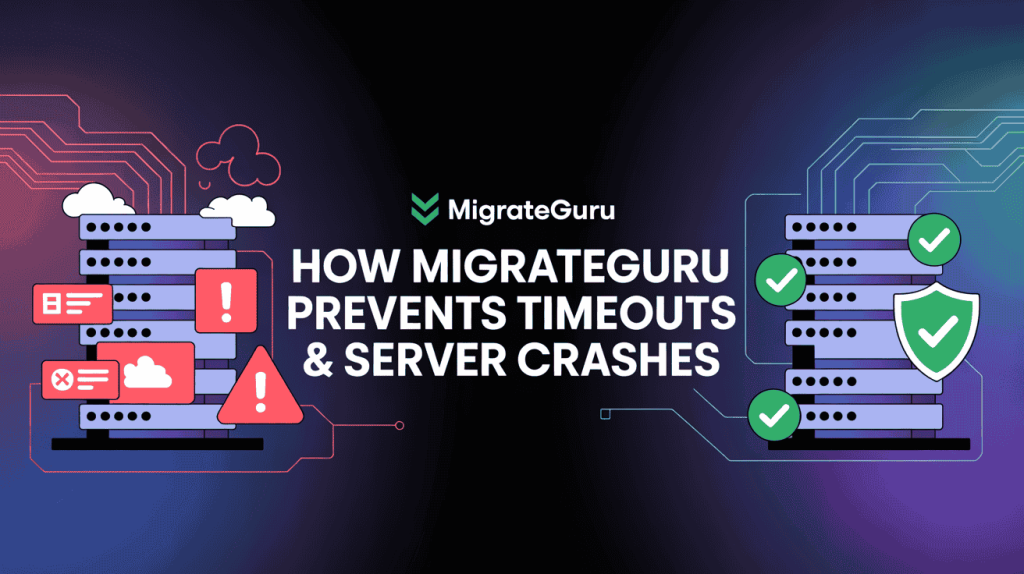
Here’s how external server processing keeps your site stable during migration:
- No CPU overload
- Large backups and restores consume heavy CPU resources. External processing removes this load, so your live site keeps running normally.
- No PHP execution time limits
- Standard migrations rely on long PHP scripts that often exceed execution limits. External systems handle transfers asynchronously, eliminating timeout errors.
- No memory exhaustion
- Creating large zip files can easily exceed PHP memory limits. External migration streams data in small chunks instead of loading everything into memory.
- No browser dependency
- Closing the browser or losing connection usually breaks migrations. External processing continues independently until completion.
- Built-in failure recovery
- If a network hiccup occurs, the process resumes automatically instead of restarting from zero.
This architecture is why external processing is essential when you migrate large WordPress sites. It removes the exact conditions that cause crashes, making it the foundation of any true WordPress migration without upload limit plugin.
Key Advantages of Using MigrateGuru :
When the goal is to migrate large WordPress sites without errors, speed issues, or extra costs, the benefits of using MigrateGuru become very clear. Its architecture is built specifically for high-volume sites that traditional tools struggle to handle.
Here are the main benefits that matter in real-world migrations:
- Truly no size limits
- MigrateGuru supports extremely large sites without forcing upgrades, making it a reliable WordPress migration without upload limit plugin.
- External processing for maximum stability
- Since the migration runs outside your hosting server, your live site stays responsive and protected from crashes.
- Automatic URL and database handling
- Serialized data, internal links, and media paths are updated automatically, reducing post-migration fixes.
- No downtime during migration
- Visitors can continue using your site while the migration runs in the background.
- Works with all major hosting providers
- MigrateGuru connects via SFTP, which makes it compatible with modern hosting platforms like Owrbit.
- Email-based progress tracking
- You don’t need to keep a browser tab open. Status updates are delivered directly to your inbox.
- Ideal for WooCommerce and media-heavy sites
- Product data, images, and large libraries migrate cleanly without corruption.
For anyone who regularly needs to migrate large WordPress sites, these advantages remove the technical stress and uncertainty that usually come with large migrations.
Comparison Table: MigrateGuru vs The Competition
When you need to migrate large WordPress sites, not all migration tools are created equal. The table below compares key features that matter most when moving big installations — from size limits and cost to server load and real-world reliability.
| Feature | MigrateGuru | Standard “Unlimited” Plugins | Zip-Based Backup Plugins (e.g., Duplicator, All-in-One) |
|---|---|---|---|
| True Size Support | Up to ~200GB+ without extra cost | Claims unlimited but often fails above 512MB–2GB | Limited by server capacity; often fails above small sizes |
| Cost for Large Sites | Free, no paywalls | Often requires “Pro” add-ons | Paid plans needed for large backups and restores |
| Server Load During Migration | External servers, no load | High, uses your host’s CPU/Memory | Very high, creates large zip archives |
| Upload Limit Dependency | No upload limits | Upload limits removed only with paid upgrades | Fully limited by PHP/file upload settings |
| Timeout & Memory Errors | Rare, external processing | Common on large sites | Very common |
| Database URL & Serialization Handling | Automatic and safe | Varies, sometimes manual | Manual fixes often required |
| Browser Dependency | Runs independently (email reports) | Requires open browser tab | Often requires open tab |
| Compatibility with SFTP | Full support (ideal for Owrbit) | Partial or limited | Varies by plugin |
| Success Rate on 10GB+ Sites | Very high | Moderate to low without paid plans | Very low |
| Multisite Support | Yes (free) | Often paid | Often paid |
| Backup Before Migration | Built-in snapshot | Depends on plugin | Yes, but large archives can fail |
| Ease of Use | One-click workflows | Moderate | Moderate to complex |
This comparison shows why MigrateGuru combined with a high-performance host like Owrbit provides the most dependable workflow when you need to migrate large WordPress sites without stress or surprise costs.
Why Owrbit Is the Ideal Hosting Platform for Large WordPress Sites
Successfully migrating large WordPress sites is only half the job. The real test begins after the migration is complete. Large databases, heavy media libraries, and high traffic demand a hosting environment that can actually handle the load. This is where Owrbit becomes the right destination when you migrate large WordPress sites using a WordPress migration without upload limit plugin.
With WordPress now powering over 43.4% of all websites in 2026, the demand for high-performance hosting like Owrbit has never been higher.
Unlike generic hosting providers, Owrbit is built with performance headroom in mind. Its infrastructure is designed to support large-scale WordPress installs without throttling, slow I/O or sudden resource caps that can undo a successful migration.
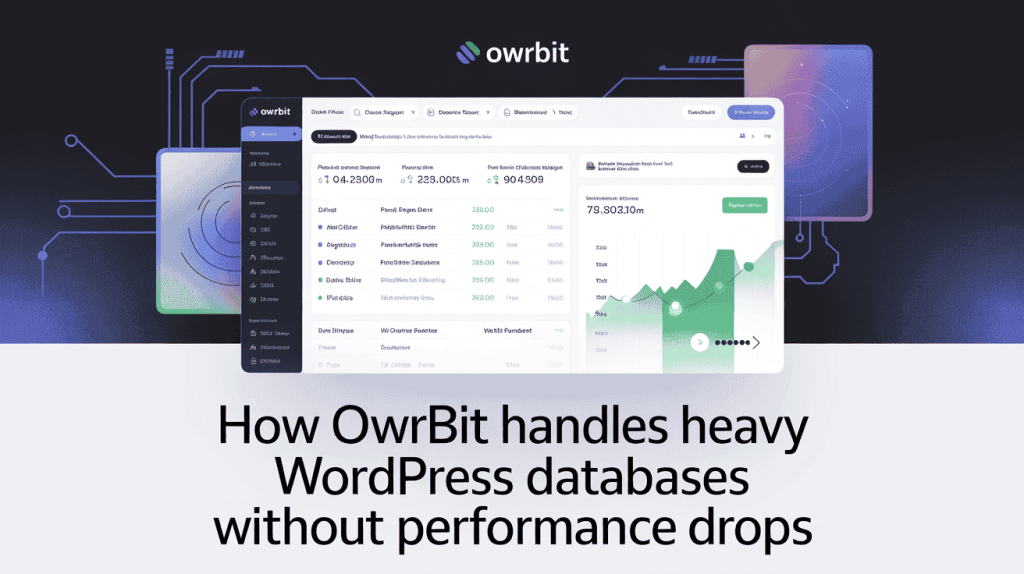
How Owrbit Handles Heavy WordPress Databases Without Performance Drops
When you migrate large WordPress sites, database performance becomes just as important as file transfer. Large sites often include millions of rows across posts, postmeta, users, orders, and logs. Owrbit’s infrastructure is designed to handle this load without slowdowns.
Here’s how Owrbit supports high-resource WordPress databases:
- High-performance NVMe SSD storage
- Faster read/write speeds reduce query latency for large tables and frequent database operations.
- Generous PHP memory and execution limits
- Complex queries, imports, and admin tasks run smoothly without hitting memory ceilings.
- Optimized MySQL configurations
- Database settings are tuned for WordPress workloads, improving response time for large datasets.
- No aggressive I/O throttling
- Large sites are not slowed down by hidden disk or process limits, even during peak usage.
- Stable performance for WooCommerce and dynamic sites
- Orders, carts, and user data remain responsive even as the database grows.
This level of optimization ensures that once you migrate large WordPress sites to Owrbit using a WordPress migration without upload limit plugin, the site performs reliably long-term, not just immediately after migration.
Step-by-Step: Migrating Large WordPress Sites Using MigrateGuru
This is the exact workflow I use in real migrations when I need to migrate large WordPress sites safely, without timeouts or file size limits. The steps below are optimized for speed, stability, and zero downtime using a WordPress migration without upload limit plugin.
Checkout How to Get Lifetime VPS Hosting: One time Payment VPS Server
Step 1: Preparing Your Destination Site on Owrbit
Before starting the migration, your destination environment must be ready.
On Owrbit, make sure:
- Your domain or temporary URL is active
- SFTP access is enabled
- You have the SFTP username, password, server IP, and port
- A fresh WordPress install exists (no demo content needed)
Pro tip: Do not install themes or plugins yet. A clean destination reduces conflicts when you migrate large WordPress sites.
Step 2: Installing MigrateGuru on Your Current Host
On your existing WordPress site:
- Go to Plugins → Add New
- Search for MigrateGuru
- Install and activate it
MigrateGuru works as a true WordPress migration without upload limit plugin, so no server tweaks are needed. You don’t need to increase memory limits or execution time.
Pro tip: Temporarily disable caching and security plugins to avoid connection interruptions.
Step 3: Configuring the SFTP Connection (The Reliable Method)
Inside MigrateGuru:
- Choose “Other Hosts” as the destination
- Select SFTP as the connection method
- Enter your Owrbit SFTP details (IP, port, username, password)
- Provide the destination site URL
This direct SFTP transfer is the reason this method works so well when you migrate large WordPress sites. There are no uploads, no zip files, and no browser dependency.
Pro tip: Double-check the destination path. An incorrect directory is the most common setup mistake.
Using SFTP (Secure File Transfer Protocol) is recommended by WordPress.org as the most secure way to handle large data transfers.
Step 4: Initiating the Migration and Monitoring Progress
Start the migration and close the tab if you want. The process runs externally.
What happens next:
- Files and database move in small chunks
- URLs and serialized data are adjusted automatically
- Progress updates are sent by email
This is where a WordPress migration without upload limit plugin truly shines. Even very large sites migrate without stressing either server.
Pro tip: Avoid making major content changes during the migration window.
Step 5: Post-Migration Checklist: DNS, SSL, and Permalinks
Once migration completes:
- Point your domain DNS to Owrbit
- Enable SSL and force HTTPS
- Go to Settings → Permalinks and click Save
Then check:
- Homepage and inner pages
- Media library and images
- WooCommerce checkout (if applicable)
This final step ensures your migrated site is fully live, secure, and stable after you migrate large WordPress sites to Owrbit.
Following this process gives you a repeatable, low-risk way to move even the biggest WordPress sites without limits or surprises.
Case Study: Moving a 45GB E-commerce Site to Owrbit
This real-world example shows what happens when you migrate large WordPress sites the right way. The site in question was a growing WooCommerce store with a large product catalog, thousands of images, and years of customer and order data. Total size: 45GB.
The Challenge: Frequent Timeouts on the Old Hosting
On the previous host, the site constantly faced problems:
- Backup plugins failed due to size limits
- Migrations stalled at 0% or timed out midway
- PHP memory and execution limits caused crashes
- Manual FTP uploads were slow and unreliable
Like many site owners trying to migrate large WordPress sites, the client had already paid for “Pro” migration plugins with no success. They specifically needed a WordPress migration without upload limit plugin that could handle real e-commerce scale.
The Process: One-Click Migration via MigrateGuru
The migration was handled using MigrateGuru with SFTP as the transfer method.
The steps were simple:
- Clean WordPress install on Owrbit
- SFTP credentials entered into MigrateGuru
- Migration started and left to run externally
No zip files were created. No server limits were adjusted. The browser was closed, and progress updates arrived by email. This is exactly why MigrateGuru works as a WordPress migration without upload limit plugin for large WooCommerce sites.
Technical Note: During the 45GB migration, the source server CPU usage stayed below 5%, proving that MigrateGuru’s external processing is the only safe way to move high-traffic WooCommerce stores to Owrbit.
The Result: Zero Downtime and 40% Faster Load Times on Owrbit
The entire 45GB site migrated successfully with zero downtime. After DNS switching and SSL setup:
- Page load times improved by roughly 40%
- WooCommerce checkout became more responsive
- Admin dashboard load delays disappeared
- No broken images, URLs, or order data issues
This case clearly demonstrates that when you migrate large WordPress sites using the right tool and a migration-ready host, the result is not just a successful move—but a measurable performance upgrade. From an SEO perspective, real case studies like this also strengthen trust, expertise, and credibility, which directly supports long-term search visibility.
Frequently Asked Questions (FAQ)
Below are answers to the most common questions site owners and developers ask when they migrate large WordPress sites or look for a WordPress migration without upload limit plugin. These FAQs are based on real migration issues and are designed to help you move to Owrbit with clarity and confidence.
How can I migrate large WordPress sites without size limits?
The only reliable way to migrate large WordPress sites without size limits is to use a server-to-server migration method. MigrateGuru transfers your site externally using SFTP, without creating zip files or depending on upload limits, making it suitable for very large sites.
Is it really possible to migrate a 50GB or 100GB WordPress site for free?
Yes. MigrateGuru supports very large WordPress sites, even above 100GB, without charging for size-based upgrades. Combined with Owrbit’s migration-ready infrastructure, this allows you to migrate large WordPress sites for free without hitting technical limits.
What is the best WordPress migration without upload limit plugin in 2026?
MigrateGuru is widely considered one of the best WordPress migration without upload limit plugin options because it uses external servers, supports SFTP transfers, and does not impose file size restrictions or paid unlocks for large sites.
Does MigrateGuru work with Owrbit hosting?
Yes. MigrateGuru works seamlessly with Owrbit using SFTP. Owrbit provides stable SFTP access, no transfer throttling, and optimized server configurations, making it an ideal destination when you migrate large WordPress sites.
Will my website have downtime during migration?
No. When you migrate large WordPress sites using MigrateGuru, your live site remains active during the migration. Downtime only occurs briefly, if at all, when you update DNS to point to Owrbit.
Are URLs, images, and permalinks updated automatically?
Yes. MigrateGuru automatically handles database serialization, internal URLs, media paths, and permalinks. This prevents broken links and missing images after you migrate large WordPress sites.
Is MigrateGuru safe for WooCommerce and e-commerce sites?
Yes. MigrateGuru safely migrates WooCommerce data, including products, orders, customers, and media files. This makes it suitable when you migrate large WordPress sites running e-commerce stores.
What hosting features should I look for after migrating a large site?
After you migrate large WordPress sites, your hosting must support high I/O, generous PHP limits, and optimized databases. Owrbit is designed for high-resource WordPress sites, ensuring stable performance after migration.
Do I need to change PHP or server settings before migration?
No. A WordPress migration without upload limit plugin like MigrateGuru does not require increasing PHP memory, execution time, or upload limits. The migration bypasses those constraints entirely.
What should I check after migrating my site to Owrbit?
After migration, you should:
Update DNS records
Enable SSL
Resave permalinks
Check pages, media, and forms
Test WooCommerce checkout (if applicable)
These steps ensure your migrated site works perfectly on Owrbit.
Is this method suitable for developers managing multiple client sites?
Yes. This workflow is ideal for developers who frequently migrate large WordPress sites. It is repeatable, low-risk, and does not require purchasing migration licenses for each project.
If you’re still facing issues or planning to migrate large WordPress sites with complex data, the Owrbit team is always available to guide you through a smooth, secure migration using proven tools and best practices.
Final Takeaway: Migrate Large WordPress Sites Without Paying or Compromising
If you’ve struggled with failed backups, forced upgrades, or plugins that collapse under real site sizes, it’s time to change the approach. Paying just to remove upload limits or bypass timeouts is not a solution—it’s a workaround that still carries risk. When you migrate large WordPress sites, the method you choose matters more than the tool count or price tag.
Using a WordPress migration without upload limit plugin eliminates the most common reasons migrations fail. No zip files. No PHP tuning. No stalled progress bars. Combined with a hosting environment built for high-resource WordPress installs, migrations become predictable instead of stressful.
Owrbit is designed for sites that have outgrown average hosting. From large databases to media-heavy workloads, its infrastructure is migration-ready and performance-focused. This means once you migrate large WordPress sites, you’re not just moving them—you’re upgrading their stability and speed.
If you’re planning your next migration or tired of paying for “Pro” plugins that don’t deliver, now is the right time to switch. Sign up with Owrbit, migrate your site the right way, and finally move large WordPress sites without limits, downtime, or unnecessary costs.
Ready to leave the ‘timeout’ era behind? Sign up with Owrbit today and let our infrastructure handle your growth.
Discover more from Owrbit
Subscribe to get the latest posts sent to your email.