

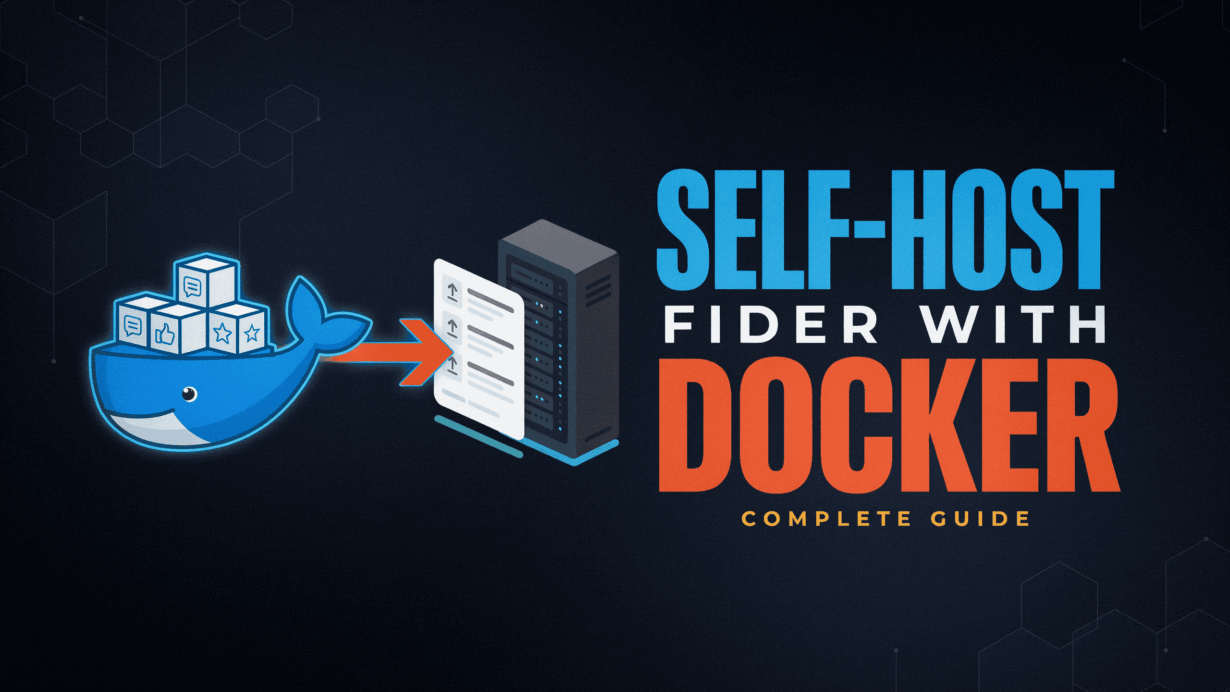
A self-hosted feedback tool is a platform that allows organizations to collect, organize, prioritize or manage customer feature requests on the infrastructure they fully control. Unlike SaaS-based on feedback platforms that charge recurring subscription fees or store data on third-party systems, a self-hosted solution gives you a complete ownership of your roadmap data, user records, branding or deployment.
If you’re looking to self host Fider with Docker, Fider is one of the most mature and lightweight options available. This open source feedback tool self hosted solution enables users to submit feature ideas, vote on requests, discuss improvements and track development progress through a clean, modern interface. Often considered a leading self-hosted Canny alternative, Fider delivers many of the same core capabilities without per-user pricing, feature restrictions or vendor lock-in.
In this guide, you will learn how to deploy Fider using a production-ready Fider Docker Compose stack backed by the PostgreSQL. We will cover server requirements, persistent storage, SMTP configuration for magic-link authentication, reverse proxy integration, SSL/TLS encryption, backup strategies, security hardening or long-term maintenance best practices. By the end, you will have a secure, scalable feedback board running on your own domain with the predictable infrastructure costs or complete control over your data.
What Is a Self-Hosted Feedback Tool?
A self-hosted feedback tool is the software platform that allows organizations to collect, manage, prioritize and act on customers feedback using the infrastructure they own or control. Instead of relying on third-party SaaS providers to store feature requests, user data and product discussions, a self-hosted solution runs on your own server, VPS, cloud instance or private infrastructure, giving you complete ownership of both the application and its underlying data.
Unlike traditional SaaS feedback platforms, the self-hosted solutions eliminate concerns around vendor lock-in, escalating subscription costs, feature restrictions or data portability. Organizations retain full control over the authentication systems, database access, backups, branding, compliance requirements or infrastructure security policies. This level of ownership is the particularly important for businesses operating under strict the privacy, governance or regulatory frameworks where customer data cannot be freely distributed across external services.
This is where Fider stands out as a leading self-hosted Canny alternative. Built with a lightweight Go backend and modern web interface, Fider delivers enterprise-grade feature voting, roadmap management and community engagement capabilities without requiring expensive recurring subscriptions. When deployed using self host Fider Docker workflows, teams gain a scalable feedback management system that can be integrated directly into existing DevOps, security and cloud infrastructure practices.
For the organizations seeking a cost-effective, privacy-focused or highly customizable way to capture product feedback, the self-hosted feedback platform offers the ideal balance between user engagement, infrastructure control and long-term scalability.
To borrow a phrase directly from the developers, Fider functions exactly “like your to-do list, but crowdsourced from the people who use your product.”
Why Fider Is One of the Best Free Self-Hosted Canny Alternatives
The Organizations searching for a self-hosted the Canny alternative are typically trying to solve two problems and reducing recurring software costs and gaining full control over customer feedback data. While Canny delivers a polished feedback management experience, many of its advanced capabilities are tied to subscription tiers, making costs increase as teams grow. Fider takes a different approach by offering a fully open-source platform that can be deployed on infrastructure you own, giving teams complete control over branding, user data, authentication, backups and long-term scalability.
As an open source feedback tool self hosted on your own server, Fider allows customers to submit feature requests, vote on ideas, participate in discussions and follow product updates without requiring a third-party SaaS provider. This makes it particularly attractive for startups, SaaS businesses, agencies or enterprises that prioritize data ownership, privacy compliance and predictable operating costs.
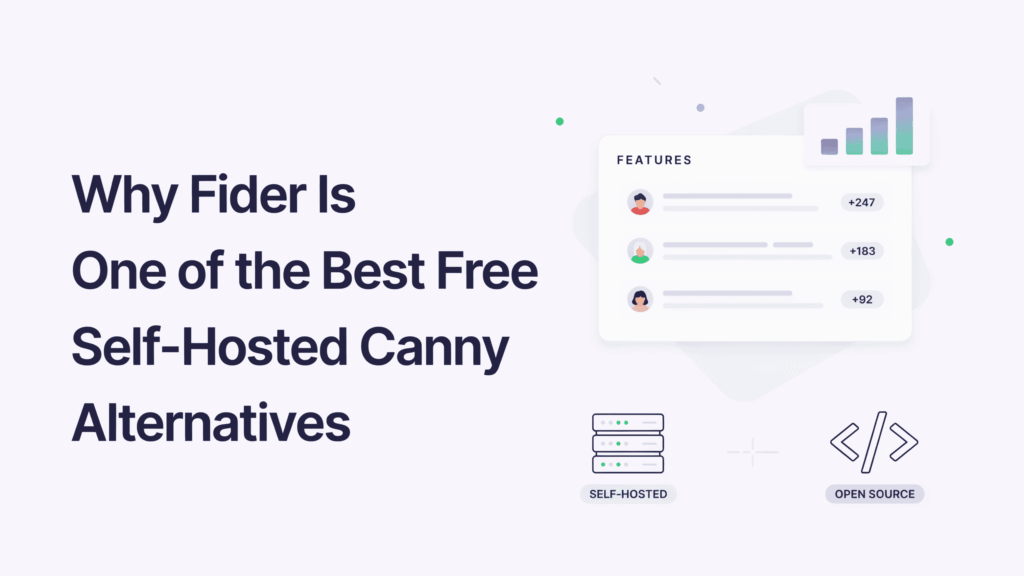
One of the Fider’s biggest technical advantages is its lightweight architecture. Unlike many modern web applications that require significant resources, Fider is built on the Go (Golang) or operates with a relatively small memory footprint. In most deployments, the application itself consumes approximately 20–40 MB of RAM under normal workloads, making it an excellent candidate for low-cost VPS, home labs and multi-service Docker hosts.
Fider vs Canny: Feature & Detailed Comparison
| Feature | Fider (Self-Hosted) | Canny (SaaS) |
|---|---|---|
| Initial Cost | Free and open source | Monthly subscription |
| Infrastructure Ownership | 100% controlled by you | Managed by vendor |
| Customer Data Ownership | Full ownership | Stored on third-party infrastructure |
| Custom Domain | Included | Plan dependent |
| User Limits | No platform-imposed limits | May vary by subscription |
| Branding Control | Complete customization | Limited by plan |
| Database Access | Direct PostgreSQL access | Not available |
| Deployment Method | Docker, Docker Compose, VPS, Cloud | SaaS only |
| Backup Control | Full backup and recovery control | Vendor managed |
| Compliance Flexibility | Can be configured for internal policies | Dependent on provider |
| Application RAM Usage | ~20–40 MB for Fider service | Not applicable |
| Vendor Lock-In Risk | Minimal | Higher |
| Open Source Codebase | Yes | No |
| Self-Hosting Capability | Yes | No |
The comparison highlights why many technical teams choose to the self host Fider Docker deployments instead of relying on the proprietary alternatives. By running the application within your own infrastructure, you retain the complete visibility into how data is stored, processed, secured or backed up. This becomes increasingly to important as organizations scale or begin addressing compliance requirements related to customeror information, audit trails, retention policies and internal governance standards.
Another major advantage is operational flexibility. Because the Fider is distributed as a containerized application, it integrates naturally into existing DevOps workflows. Teams can deploy it using Fider Docker Compose, manage updates through standard container lifecycle practices, place it behind reverse proxies such as Nginx or Traefik and integrate authentication providers through OAuth. This level of control is difficult to achieve with a closed SaaS platform where infrastructure decisions are handled entirely by the vendor.
For the organizations that want enterprise-grade feedback collection without any recurring licensing costs, the Fider delivers an impressive balance of simplicity, performance, extensibility and ownership. It provides the essential capabilities product teams need while allowing infrastructure, security and compliance decisions to remain firmly under their control.
Production Server Prerequisites for Fider Deployment
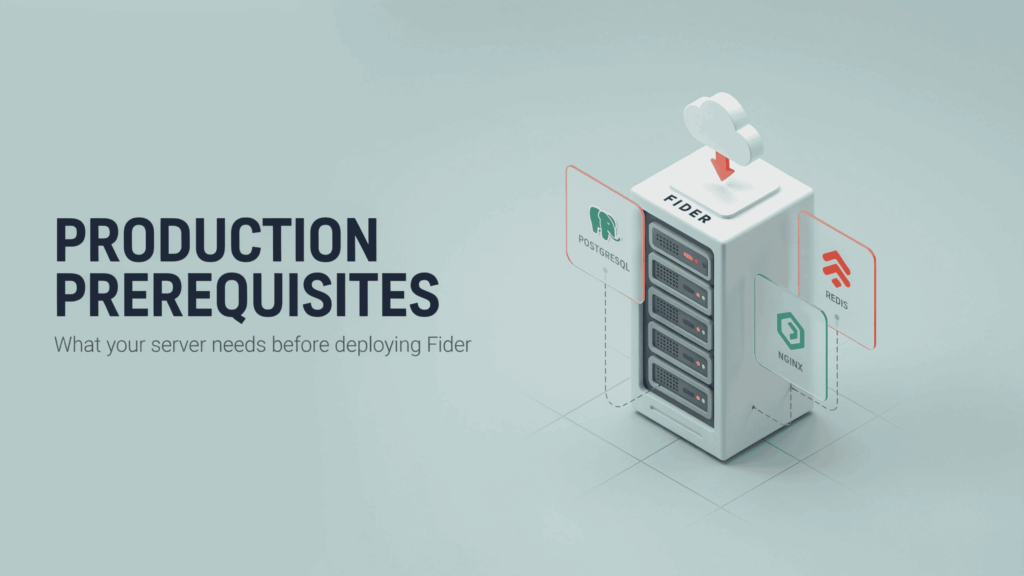
Before you self host the Fider Docker in the production, it is important to validate that the underlying infrastructure meets the application is operational requirements. Although Fider is known for being lightweight compared to many modern SaaS platforms, a successful deployment still depends on proper resource allocation, reliable email delivery, persistent storage and a correctly configured network stack.
Unlike simple web applications that support traditional username-password authentication, Fider relies heavily on email-based magic links for both user registration and login workflows. This makes infrastructure planning a critical step rather than an optional best practice. Ensuring these prerequisites are in place before deployment will significantly reduce configuration errors, authentication failures and service interruptions after launch.
Hardware Resource Allocation (vCPU and RAM Profile)
One of the biggest advantages of the Fider as an open source feedback tool self hosted is its exceptionally low resource to consumption. Built using Go (Golang), the application is optimized for efficiency or can comfortably operate on entry-level cloud infrastructure without requiring dedicated enterprise hardware.
For most deployments, the following server profile is sufficient:
| Component | Recommended Specification |
|---|---|
| CPU | 1 vCPU |
| Memory | 1 GB RAM |
| Storage | 20 GB SSD or greater |
| Operating System | Ubuntu 22.04 LTS or Ubuntu 24.04 LTS |
| Container Runtime | Docker Engine v24+ |
| Orchestration | Docker Compose v2+ |
| Database | PostgreSQL 16+ |
| Public Network Access | IPv4 and/or IPv6 |
These foundational requirements create a stable environment for a production-grade Fider Docker Compose deployment.
The Mandatory SMTP Relay Requirement :
The most commonly overlooked prerequisite when deploying the Fider is email delivery.
Unlike traditional applications that store the passwords in a database, the Fider uses a passwordless authentication model. Users receive secure login links through email whenever they register, sign in or perform account-related actions. As a result, SMTP configuration is not optional—it is the mandatory requirement for the platform to a function correctly.
Without the working SMTP relay service:
- Users cannot register.
- Login links cannot be delivered.
- Administrators cannot access their accounts.
- Email notifications will fail.
- The feedback portal becomes effectively unusable.
Before deployment, configure an SMTP provider capable of sending transactional emails. Common options include:
| SMTP Provider | Suitable For |
| Brevo | Small businesses and startups |
| Postmark | High-deliverability transactional email |
| Mailgun | Developer-focused email infrastructure |
| Amazon SES | Cost-efficient large-scale email delivery |
| SendGrid | Enterprise and SaaS environments |
For optimal email deliverability, the administrators should also configure:
- SPF (Sender Policy Framework) records
- DKIM (DomainKeys Identified Mail) signatures
- DMARC policies
- Verified sending domains
These DNS based the authentication mechanisms help the prevent messages from being flagged as spam while improving the inbox placement rates.
Deploying Fider with Docker Compose: The Production-Ready Blueprint
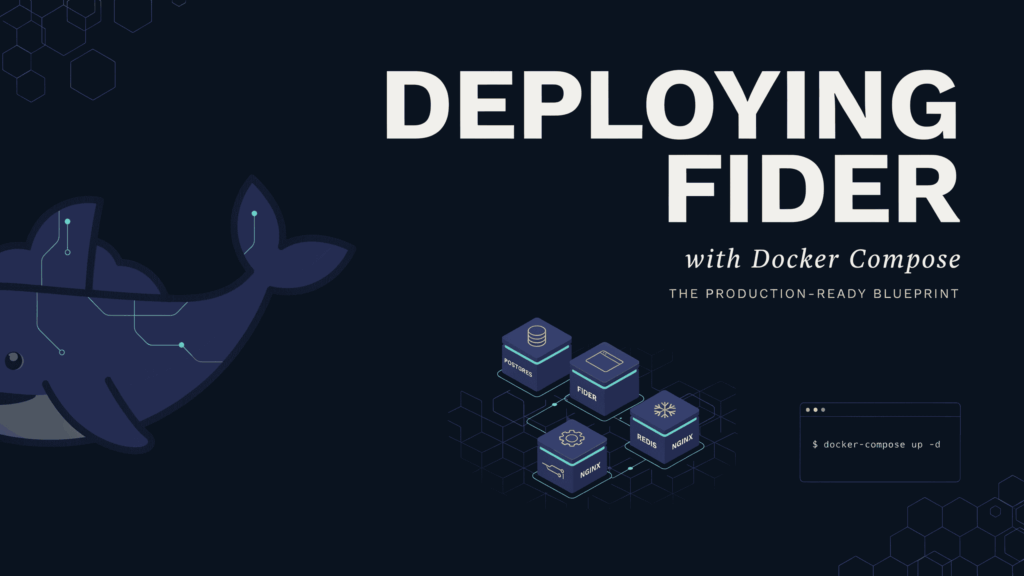
One of the primary reasons developers choose to the self-host the Fider Docker is the simplicity of its deployment architecture. The Fider follows a modern containerized design that separates the application layer from the database layer, making updates, backups, troubleshooting or long-term maintenance significantly easier than traditional manual installations.
The deployment stack consists of two core services:
- The Fider Application Container Handles the web interface, feature voting system, roadmap management and authentication workflows.
- PostgreSQL Database Container – Stores users, votes, feature requests, comments, settings and all persistent application data.
By deploying both services through the Fider Docker Compose, administrators gain a reproducible the infrastructure blueprint that can be migrated between servers, cloud providers, development and disaster recovery systems with minimal effort.
Step 1: Establishing the Linux Server Directory Structure
Before the creating containers or organize the server filesystem to ensure that application data remains persistent across updates, restarts and container recreations.
This step is particularly important because the Docker containers are inherently ephemeral and meaning any data written inside the container itself can be lost when the container is removed. Persistent storage volumes solve this problem by the storing critical database files directly on the host operating system.
Create the required directories:
# Create the Fider application directory
mkdir -p /opt/fider/postgres_data

# Move into the deployment directory
cd /opt/fider
The resulting directory structure should resemble:
/opt/fider
├── docker-compose.yml
└── postgres_data
Why this matters:
- The Database persistence survives container updates.
- The Backup operations become simpler.
- Disaster recovery procedures are easier to automate.
- The Docker volume management remains clean or predictable.
For production deployments, storing of application assets under /opt/the fider follows common Linux administration conventions or keeps the infrastructure components organized.
Step 2: Configuring the Production docker-compose.yml File
The heart of every open source feedback tool self the hosted deployment is the Docker Compose configuration. This file defines how containers communicate, where data is stored, how services restart after failures and how dependencies are managed during startup.
Create a new file:
nano docker-compose.ymlInsert the following production-ready configuration:
version: '3.8'

networks:
  fider-tier:
    driver: bridge

services:
  fider-db:
    image: postgres:16-alpine
    container_name: fider_postgres
    restart: always
    networks:
      - fider-tier
    volumes:
      - ./postgres_data:/var/lib/postgresql/data
    environment:
      POSTGRES_USER: fider_db_admin
      POSTGRES_PASSWORD: ${DB_PASSWORD:-DefaultSecurePassword99!}
      POSTGRES_DB: fider_production
    healthcheck:
      test: ["CMD-SHELL", "pg_isready -U fider_db_admin -d fider_production"]
      interval: 5s
      timeout: 5s
      retries: 5

  fider-app:
    image: fider/fider:latest
    container_name: fider_core_app
    restart: always
    networks:
      - fider-tier
    depends_on:
      fider-db:
        condition: service_healthy
    ports:
      - "127.0.0.1:3000:3000"
    environment:
      - GO_ENV=production
      - PORT=3000
      - BASE_URL=https://feedback.yourdomain.com

      - DATABASE_URL=postgres://fider_db_admin:${DB_PASSWORD:-DefaultSecurePassword99!}@fider-db:5432/fider_production?sslmode=disable

      - JWT_SECRET=${JWT_SECRET_STRING:-GenerateA512BitSecretKeyForProductionHere}
      - CRYPTO_KEY=${CRYPTO_KEY_STRING:-MustBeExactly32CharactersLong12}

      - EMAIL_NOREPLY=noreply@yourdomain.com
      - SMTP_HOST=smtp.relayprovider.com
      - SMTP_PORT=587
      - SMTP_USERNAME=your_verified_smtp_username
      - SMTP_PASSWORD=your_secure_smtp_password
      - SMTP_ENCRYPTION=starttls
The Fider requires a cryptographic key that is exactly 32 characters long. If the key contains 31 and 33 characters, the application will be fail during startup or generate cryptography initialization errors.
Generate a valid production-safe key:
openssl rand -hex 16The command produces a 32-character hexadecimal string suitable for the CRYPTO_KEY variable.
Another critical requirement is SMTP configuration. Since the Fider uses password less authentication through the email magic links, the platform cannot function without a properly configured SMTP provider such as Brevo, Postmark, Mailgun or Amazon SES.
Step 3: Launching and Initializing the Container Stack
After the Docker Compose of the configuration has been created or reviewed, launch the application stack.
Start all services in detached mode:
the docker compose up -dThe Docker will automatically:
- Download the required images.
- Create the isolated the Docker network.
- Initialize of PostgreSQL.
- Perform the database health checks.
- Start the Fider application container.
- Establish communication between the services.
Verify container status:
docker psExpected output should show both containers running:
fider_postgres
fider_core_app
To inspect startup logs:
docker compose logs -fThis command is particularly useful for identifying:
- The SMTP authentication failures
- The Database connection issues
- Invalid the environment variables
- SSL configuration problems
- Crypto key length errors
Once both containers report healthy status, verify that Fider is listening locally:
ss -tulpn | grep 3000You should see the application bound to:
127.0.0.1:3000Binding the exclusively to localhost is a recommended security practice because it prevents the direct internet exposure. External traffic should be routed through the secure reverse proxy such as Nginx, Traefik, CloudPanel, Coolify and Portainer-managed ingress controllers, where SSL certificates or security policies can be enforced.
At this stage, the core of the Fider Docker Compose deployment is operational. The application, database, networking layer or persistent storage the infrastructure are now running, creating a stable foundation for the fully functional self-hosted Canny alternative the capable of serving production of workloads.
Preventing Fider Crash Loops: The Critical CRYPTO_KEY Requirement
The common issue when you self host the Fider Docker is the application container repeatedly restarting immediately after launch. In the most cases, the root cause is an invalid the CRYPTO_KEY value.
The Fider uses the CRYPTO_KEY variable to encrypt sensitive application data. During the startup, the application validates this key before the loading core services. If the key length is incorrect, the Fider terminates automatically or enters a crash loop.
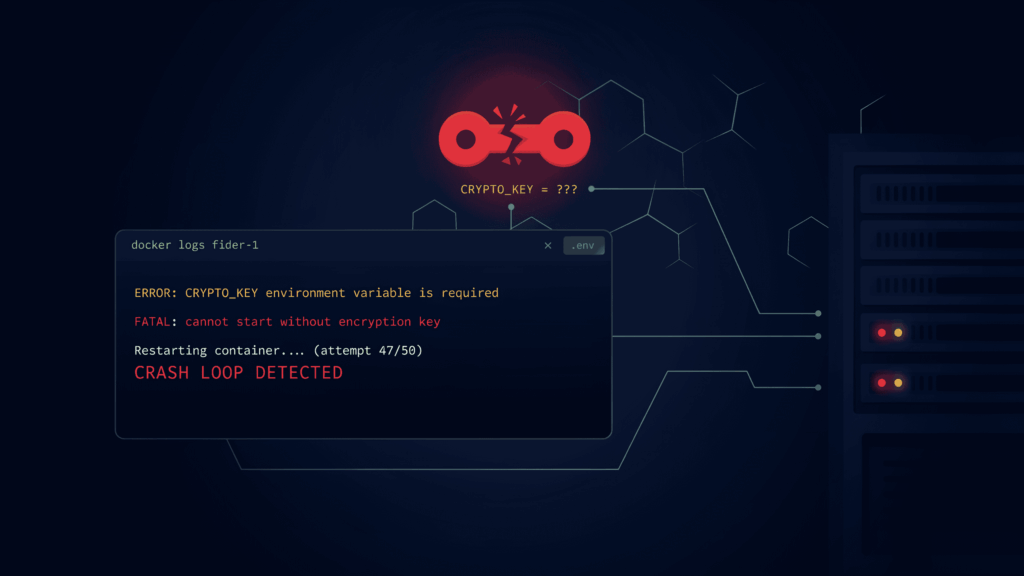
The key must be exactly 32 characters long. Even a single extra and missing character will prevent the application from starting.
Generate the valid key using:
openssl rand -hex 16Example output:
6e2d9f4b8c7a1d5e3f0c9b2a7d8e4f1cAdd the generated value to your Fider Docker Compose configuration:
CRYPTO_KEY=6e2d9f4b8c7a1d5e3f0c9b2a7d8e4f1cIf the application fails to start, inspect the logs:
docker compose logs -f fider-appFor any open source the feedback tool self-hosted of deployment, correctly configuring the CRYPTO_KEY is essential. This small critical setting but one of the most frequent causes startup failures when deploying the self-hosted Canny of alternative like the Fider.
Securing Your Fider Deployment with Nginx Reverse Proxy and SSL
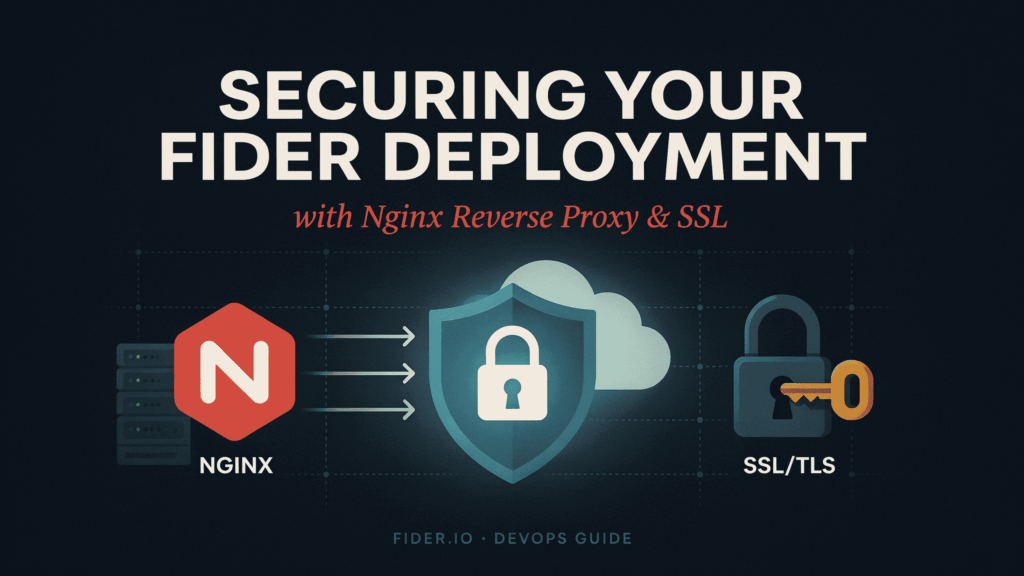
After your self-host the Fider Docker, the next priority is securing public access. The recommended of approach is to bind the Fider only to 127.0.0.1:3000 and place Nginx in front of it as a reverse proxy. This architecture hides the application from direct internet exposure while enabling the SSL/TLS encryption, centralized security policies or improved traffic management.
Hardening the Nginx Server Block with Security Headers
A production-ready Nginx configuration should do more than proxy traffic. It should the actively protect users or the application by enforcing HTTPS and adding security headers.
Key of security headers include:
- X-Frame-Options – Prevents clickjacking attacks.
- X-Content-Type-Options – Stops MIME-type sniffing.
- Referrer-Policy – Controls referrer information leakage.
- X-XSS-Protection – Adds browser-based XSS protection.
Combined with the valid Lets the Encrypt SSL certificate, these headers help secure your open-source feedback tool the self-hosted deployment against common web-based threats while improving user trust or compliance readiness.
Alternative Deployments: Portainer, Coolify and CloudPanel
While many of the administrators deploy Fider using standard the Fider Docker Compose commands, modern server management platforms can simplify operations.
- Portainer provides a graphical interface for managing containers, volumes, networks and stack updates.
- Coolify automates deployments, SSL provisioning, backups or application management through the developer-friendly dashboard.
- CloudPanel offers the lightweight server administration with integrated Nginx management or domain configuration.
These platforms are particularly useful for teams seeking a simpler way to manage the self-hosted Canny alternative without any manually editing server configurations. Regardless of the deployment method, the underlying security principles remain the same: use SSL, restrict direct container exposure and place Fider behind a properly configured reverse proxy.
Real-World Use Cases for Self-Hosted Feedback Portals
The growing popularity of self host Fider Docker deployments is driven by more than cost savings. Development teams increasingly want greater control over customer feedback, infrastructure, security and compliance. As a modern open source feedback tool self hosted on your own servers, Fider enables organizations to build transparent product feedback systems without depending on third-party SaaS providers.
Case Study 1: Eliminating Escalating Costs for Fast-Growing SaaS Startups
A SaaS startup with a rapidly expanding customer base needed a centralized feature request platform but found subscription-based feedback tools becoming increasingly expensive as team members, customers and product stakeholders grew.
By deploying the self-hosted Canny alternative using the Fider, the company consolidated feature requests, voting or roadmap discussions into a single platform running on an affordable VPS. Because the infrastructure was self-managed, there were no platform-imposed user limits, seat restrictions or recurring feature unlock fees. The result was the predictable operating cost model that scaled with the infrastructure needs rather than software licensing tiers.
The shift to an open-source model allows companies to centralize their roadmap without friction. As noted by industry community managers using the platform, “Fider made it so easy to centralize feedback. Our team and our community both love it!”
Case Study 2: Maintaining Full Data Ownership for Enterprise Agencies
The web development agency managing multi clients projects required the feedback platform capable of handling sensitive customer information while complying with the strict internal security policies.
Using the Fider Docker Compose deployment hosted on private infrastructure, the agency retained complete control on over user data, backups, authentication workflows and database access. Client feedback never left company-managed systems, simplifying compliance requirements or reducing concerns around third-party data processing. The organization also benefited from the custom branding, dedicated domains or the infrastructure-level security controls that would be difficult to achieve through a traditional SaaS feedback platform.
Frequently Asked Questions
The following FAQ section answers the most common questions developers, SaaS founders, system administrators and product teams ask when deploying and managing a self-hosted Canny alternative. These answers cover infrastructure, security, authentication, scalability, backups and long-term maintenance considerations for production-ready Fider deployments.
A properly configured self host Fider Docker deployment provides a powerful, cost-effective way to collect and prioritize customer feedback while maintaining complete control over infrastructure and data. Whether you’re running a startup roadmap portal or an enterprise feedback platform, the answers below will help you deploy, secure, scale, and maintain your open source feedback tool self hosted environment with confidence.
Is Fider completely free to self-host?
Yes. Fider is released under an open-source license, allowing organizations to deploy and use it without paying software licensing fees. The only costs typically involve infrastructure resources such as VPS hosting, domain registration, email delivery services, and SSL certificates.
Is Fider a good alternative to Canny?
Yes. Fider is widely considered one of the best self-hosted Canny alternatives because it offers feature voting, feedback collection, roadmap visibility, and user engagement tools without recurring SaaS subscription costs. Businesses working with Owrbit often choose Fider when they need full ownership of customer feedback data and infrastructure.
What are the minimum server requirements for Fider?
Most production deployments run comfortably on a server with 1 vCPU, 1 GB RAM, and 20 GB SSD storage. Because Fider is built using Go, it has a lightweight memory footprint compared to many modern web applications.
Can I run Fider with Docker Compose?
Absolutely. Docker Compose is the recommended deployment method for most users because it simplifies container management, database connectivity, networking, updates, and backups. A properly configured Fider Docker Compose stack can be deployed in just a few minutes.
Why does Fider require SMTP configuration?
Fider uses passwordless authentication through email magic links. Users receive secure login links via email instead of traditional passwords. Without a working SMTP provider, users cannot register, authenticate, or receive notifications.
Which SMTP providers work best with Fider?
Popular options include Brevo, Postmark, Mailgun, Amazon SES, and SendGrid. For production environments, Owrbit recommends selecting a provider with strong deliverability and properly configuring SPF, DKIM, and DMARC records.
What causes the CRYPTO_KEY length error in Fider?
The CRYPTO_KEY must be exactly 32 characters long. If the value contains more or fewer characters, Fider will fail to initialize and the application container may repeatedly restart until the key is corrected.
Can I use a custom domain with Fider?
Yes. Fider fully supports custom domains such as feedback.yourdomain.com. Most deployments place Fider behind an Nginx reverse proxy with SSL certificates issued through Let’s Encrypt.
Does Fider support HTTPS and SSL certificates?
Yes. Fider works seamlessly behind reverse proxies such as Nginx, Traefik, CloudPanel, and Coolify. SSL certificates should always be enabled to protect user authentication sessions and data transfers.
Does Fider support Single Sign-On (SSO)?
Yes. Fider supports authentication through OAuth providers including Google, GitHub, Azure AD, and OpenID Connect-compatible identity providers. This makes it suitable for internal company feedback portals and enterprise deployments.
Can Fider be used for internal company feedback?
Absolutely. Many organizations use Fider as a private feedback and feature request portal for employees, departments, stakeholders, and development teams. Registration settings can be restricted to approved users only.
Is Fider suitable for startups?
Yes. Fider is particularly attractive for startups because it eliminates recurring subscription costs while providing professional-grade feedback collection, feature voting, and roadmap management capabilities.
How secure is a self-hosted Fider deployment?
When deployed with Docker, PostgreSQL, SSL certificates, firewall protection, regular backups, and security updates, Fider can be highly secure. Owrbit typically recommends implementing security headers, reverse proxy hardening, and automated backup policies for production environments.
Where is feedback data stored in Fider?
All feedback data, user accounts, votes, comments, and settings are stored inside a PostgreSQL database controlled by the administrator. This ensures complete ownership and portability of business-critical feedback information.
Can I back up my Fider data?
Yes. Since Fider uses PostgreSQL, administrators can create automated backups using pg_dump, snapshot-based backups, or cloud storage synchronization workflows. Regular backups are strongly recommended for production deployments.
How do I update Fider without losing data?
Because application data is stored in persistent PostgreSQL volumes, administrators can safely pull updated Docker images and recreate containers without affecting feedback records, votes, or user accounts.
Can Fider handle large communities?
Can Fider handle large communities?
Yes. Fider is designed to scale beyond small teams and can support growing communities when backed by properly sized infrastructure, optimized PostgreSQL resources, and adequate server capacity.
Why choose Owrbit for self-hosted Fider deployment and management?
Owrbit helps businesses deploy, secure, optimize, and maintain self-hosted applications like Fider in production environments. From Docker configuration and SSL implementation to backups, monitoring, migrations, and infrastructure management, Owrbit helps organizations build reliable feedback systems without the complexity of managing every technical detail internally.
Discover more from Owrbit
Subscribe to get the latest posts sent to your email.