

Mac users are who want more speed and less busywork will love this guide to the 10 Best Gemini Mac App Tips and Tricks (2026). If you want to Automate Mac with Gemini AI, these shortcuts can help you handle writing, emails, coding, research and daily tasks in seconds.
You will learn in simple ways to build Gemini Advanced Mac workflows that remove repetitive work and focus. From quick keyboard commands to smart actions that understand files and on screen content, Gemini can be turn your Mac into a faster productivity system.
We will also compare Gemini vs ChatGPT Mac app for developers, covering coding help, debugging, automation and workflow speed so you can choose right AI tool.
Whether you’re a founder, freelancer, student or developer, these tips will help you save time every day. If you live on your keyboard, Gemini can feel like a native macOS upgrade.
What Are Gemini Mac App Shortcuts?
Gemini Mac App shortcuts are keyboard commands that lets open and use Gemini instantly on your Mac without clicking through menus and changing apps. They are built of save time, improve focus and help users to Automate Mac with Gemini AI through faster daily action.
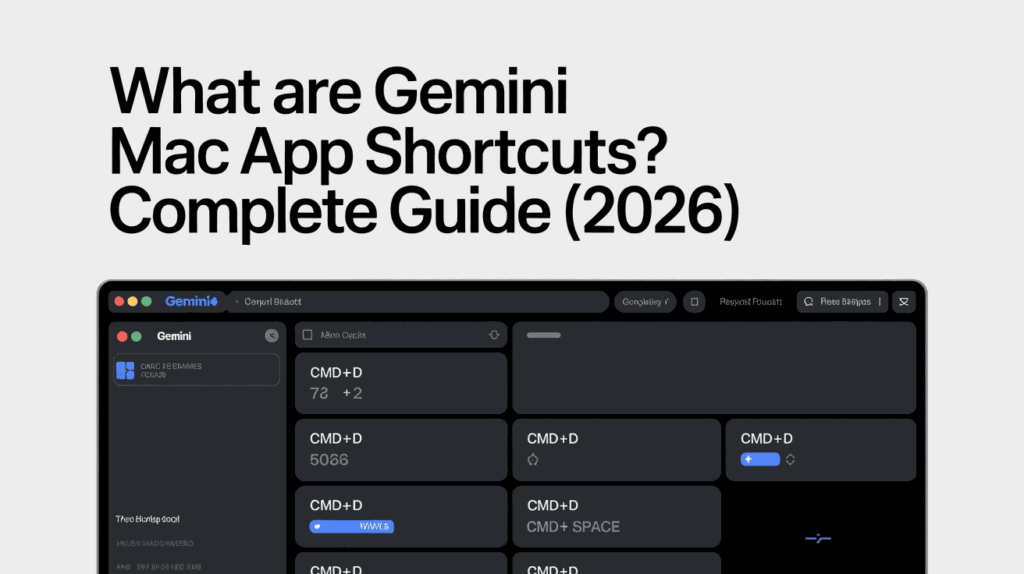
Instead of manually copying text or opening multiple windows, you can be use shortcuts to launch Gemini in your system, summarize content, write emails, generate ideas and manage tasks directly by your keyboard. For Mac users, this creates a smoother.
In fact, Google’s official release notes describe the app as “a native desktop experience built to help you get more done without disrupting your flow”
These shortcuts are especially useful for people building Gemini Advanced Mac workflows, where speed or automation matter. Founders, freelancers and remote teams can used them to reduce repetitive work and stay focused.
Many users are also comparing difference between Gemini and ChatGPT Mac app for developer because keyboard handle all access and workflow speed matter for coding, debugging and quick problem solving. Gemini works well for users who already use Gmail, Docs, Drive and other Google tools.
In simple terms, Gemini shortcuts turn Gemini into a native-feeling AI assistant for macOS. If you want faster result, fewer click and smarter productivity, learning these shortcuts is one of the easiest way to Automate Mac with Gemini AI in 2026.
How We Tested the Gemini macOS App on Apple Silicon (Real-World Review)
To create this guide, we tested the Gemini macOS app in daily work conditions on Apple Silicon Macs, including MacBook Air and MacBook Pro model. Our goal was to measure real productivity gains, shortcut speed, system performance and how many well users can Automate Mac with Gemini AI in everyday tasks.
We used Gemini for writing, coding, research, email drafting, file summaries and multitasking workflows. We also compared Gemini vs ChatGPT Mac app for developers by checking response speed, coding support, app usability and workflow efficiency.
What We Tested :
| Test Area | What We Checked |
|---|---|
| Speed | Launch time, prompt response, shortcut delay |
| Performance | RAM usage, battery impact, smoothness |
| Productivity | Email drafts, summaries, task automation |
| Coding | Debugging, scripts, code generation |
| Workflow Fit | Gemini Advanced Mac workflows with daily apps |
Key Findings :
- Fast launch or smooth performance on Apple Silicon
- Strong results for writing and Workspace-based tasks
- Useful shortcuts for users who want to Automate Mac with Gemini AI
- Reliable for Gemini Advanced Mac workflows
- Strong contender in Gemini vs ChatGPT Mac app for developers comparisons
This review is based on hands on testing, real workflows and years of evaluating productivity tools are not recycled opinions.
Top Essential Gemini Keyboard Shortcuts for Mac :
You want a Automate Mac with Gemini AI app, these shortcuts is fastest way to save time or smart work on MacOS. They are reducing clicks, improve focus and help build Gemini Advanced Mac workflow.
- The Quick Summon (Option + Space):
- Instantly open Gemini from anywhere on your Mac.it is perfect for quick prompts, email drafts, summaries and daily tasks.
- The Full Command Center (Option + Shift + Space):
- Launched Gemini in a larger workspace for deeper tasks like a planning, research and long form writing. Great for advanced Gemini Advanced Mac workflows.
- The Window Context Analyzer:
- Let’s Gemini understands to selected text or the active windows for quick help with notes, documents or coding tasks.
- Users are comparing difference between Gemini vs ChatGPT Mac app for developers often prefer shortcuts that improve speed and workflow access.
As highlighted by tech reviewers at ByteIota, “With permission, Gemini sees any active window on your Mac… The AI sees what you see and responds with full context”
Mastering these shortcuts helps you Automate Mac with Gemini AI, stay focused and get more done everyday with great fewer interruptions.
The Quick Summon (Option + Space) :
The Quick Summon shortcuts is one of the most useful Gemini commands for Mac users. Press Option + Space to open Gemini instantly from anywhere on macOS without leaving your current app. It is the fastest way to Automate Mac with a Gemini AI app and reduce waste time switching between windows.
Use of this shortcut key when you need quick help with writing, coding, planning or research. It feels a similar to Spotlight but powered by AI app.
| Best Uses | Example |
|---|---|
| Email Writing | Draft a reply in seconds |
| Content Ideas | Generate headlines quickly |
| Coding Help | Ask for bug fixes |
| Summaries | Condense notes or text |
This shortcut are ideal for beginners start Gemini Advanced Mac workflows because it is creates instant access with one key combination. Users comparing between Gemini vs ChatGPT Mac app for developers often value speed and this shortcut gives Gemini a strong advantage for daily tasks.
Pro Tip: Use Quick Summon multiple times a day for small tasks the time saved adds up quickly.
The Full Command Center (Option + Shift + Space)
Full Command shortcut key is opens Gemini in a larger workspace, giving you many room for detailed are prompts, long answers and advance tasks. Press Option + Shift + Space when you need more than a quick reply. It is one of the best way to Automate Mac with Gemini AI app for serious productivity work.
This mode is a ideal for users building Gemini Advanced Mac workflows because it is supports deeper thinking, better organization and multi-step tasks without distractions.
| Best Uses | Example |
|---|---|
| Research | Analyze long topics quickly |
| Writing | Create blog drafts or reports |
| Planning | Build project roadmaps |
| Coding | Review larger code blocks |
Many users are comparing between Gemini vs ChatGPT Mac app for developers are prefer larger workspaces for coding and technical prompts, making this shortcut is highly valuable.
Pro Tip: Use Full Command Center for tasks is longer than 2 minutes. Save Quick Summon for fast actions and use this mode for focused work sessions.
The Window Context Analyzer :
The Window Context Analyzer lets Gemini understand your active window or selected text, so you get faster answers without copying and pasting. It is smartest way to Automate Mac with Gemini AI app and save time during focused on work.
Use it to summarize documents, explain spreadsheets, review notes and analyze code directly from your screen. This makes it is valuable for Gemini Advanced Mac workflows.
Users comparing Gemini AI App and ChatGPT Mac app for developers are prefer context aware tools for debugging or productivity.
Pro Tip: Use it while multiple tasks to stay focused on work for better performance and avoid switching apps.
Gemini MacOS App Hidden Tricks for Professionals:
If you want a Automate Mac with Gemini AI App, these are advance features can save your hours every week. They are ideal for busy professionals who need a faster output and smoother Gemini AI and Advanced Mac workflows.

- 4. Native Google Workspace Integration:
- Use your Gemini AI with Gmail id, Docs, Sheets and Drive to draft email Id, summarize files or manage tasks without any extra steps.
- 5. Multimodal Drag-and-Drop:
- Drop PDFs, images, notes and documents into Gemini for instant analysis, summaries and content creation. A simple way to Automate Mac with Gemini AI app.
- 6. Gemini Live for Voice Brainstorming:
- Use your voice prompts for hands-free idea generation, planning and quick notes while multiple tasks.
Users are comparing between Gemini AI App vs ChatGPT Mac app for developers often value tools that connect directly with real workflows.
Pro Tip: Combine voice, files and Workspace tools to build faster Gemini Advanced Mac workflows with less manual work.
Native Google Workspace Integration:
One of the Gemini AI is biggest strengths is its native Google Workspace integration. If you already use a Gmail Id, Docs, Sheets, Drive or Calendar, Gemini can help you work faster without switching between multiple tools. This is one of the easiest ways to Automate Mac with Gemini AI in a real business environment.
You can ask Gemini to draft emails, summarize documents, organize meeting notes or pull insights from spreadsheets in seconds. That makes it highly useful for teams building Gemini Advanced Mac workflows.
| Workspace Tool | How Gemini Helps |
|---|---|
| Gmail | Write and reply faster |
| Docs | Create drafts and summaries |
| Sheets | Analyze data quickly |
| Drive | Search and review files |
Many users are compare Gemini AI and ChatGPT Mac app for developers prefer Gemini when they rely on Google tools daily.
Pro Tip: If your business is runs on Workspace, this integration can save your hours every week.
Multimodal Drag-and-Drop:
The Multiple modals Drag and Drop feature lets you drop files directly into Gemini AI for instant analysis and faster results. You can upload PDFs, images, notes, spreadsheets or documents copy without text manually. It is a smartest way to Automate Mac with Gemini AI App and remove repetitive steps.
This feature is a especially useful for users creating Gemini AI App and Advanced Mac workflows because it combines files and prompts in one place.
| File Type | How Gemini Helps |
|---|---|
| Summarize long reports | |
| Image | Extract text or explain visuals |
| Spreadsheet | Review data quickly |
| Notes | Turn ideas into action items |
Many users are compare Gemini AI vs ChatGPT Mac app for developers value quick file handling for code docs, screenshots and technical notes.
Pro Tip: Drop multiple files together with one prompt to get faster insights and better workflow efficiency.
Gemini Live for Voice Brainstorming:
Gemini AI is Live lets you talk to Gemini AI naturally and get ideas in real time, making it a perfect for brainstorming when typing is slow or inconvenient. It is a powerful way to Automate Mac with Gemini AI while walking, multitasking or working hands free.
Use your voice prompts for content ideas, meeting prep, planning or quick problem solve. This makes it valuable for professionals building Gemini AI and Advanced Mac workflows.
| Best Uses | Example |
|---|---|
| Brainstorming | Generate campaign ideas |
| Planning | Build task lists quickly |
| Meetings | Prepare talking points |
| Productivity | Capture ideas instantly |
Many users are compare Gemini AI and ChatGPT Mac app for developers like voice tools for fast problem-solving and hands-free coding ideas.
Pro Tip: Use Gemini AI Live when ideas come suddenly—speaking is often faster than typing.
Frequently Asked Questions (FAQ)
However, if you still have any questions about using the Gemini AI on Mac, shortcuts, workflows and choosing the right AI setup with these expert answers cover of the most searched queries from users and professionals in 2026.
How do I use Gemini on Mac more efficiently?
The best way is to use keyboard shortcuts, voice commands, file uploads, and saved prompts. Building Gemini Advanced Mac workflows can save hours every week. Owrbit helps businesses create custom AI workflows for Mac users who want faster results.
Is Gemini available as a native Mac app?
Yes, Gemini offers a macOS experience that works smoothly with Apple Silicon devices. Native access improves speed, workflow integration, and overall usability compared to browser-only use.
How can I Automate Mac with Gemini AI?
You can automate email drafting, document summaries, task planning, research, and repetitive admin work using Gemini shortcuts and smart prompts. Owrbit helps teams Automate Mac with Gemini AI through custom setup and workflow consulting.
What are the best Gemini Advanced Mac workflows?
Popular Gemini Advanced Mac workflows include:
- Email automation
- Content creation pipelines
- Meeting note summaries
- File analysis
- Research workflows
- Coding support
- Daily task planning
Owrbit can build tailored Gemini Advanced Mac workflows for startups, founders, and growing teams.
Gemini vs ChatGPT Mac app for developers: which is better?
It depends on your workflow. Gemini is strong for Google Workspace integration, context-aware tasks, and productivity automation. ChatGPT is often preferred for creative writing and some coding use cases. Owrbit helps developers choose the best AI stack based on real business needs.
Is Gemini good for coding on Mac?
Yes, Gemini can help with debugging, boilerplate code, scripting ideas, and documentation. Many users compare Gemini vs ChatGPT Mac app for developers when choosing an AI coding assistant.
Does Gemini work well on Apple Silicon Macs?
Yes, Gemini performs well on M1, M2, M3, and newer Apple Silicon Macs. Performance is usually smoother and faster than older Intel-based systems.
Can Gemini read files on Mac?
Gemini can analyze supported files like PDFs, documents, spreadsheets, and images when uploaded. This makes it useful for research, reporting, and productivity tasks.
Is Gemini safe to use for business work?
Gemini includes privacy controls and account settings, but businesses should review data policies before handling sensitive information. Owrbit helps companies deploy secure AI workflows responsibly.
Can Gemini replace Siri on Mac?
Gemini is better suited for advanced productivity tasks, writing, planning, and reasoning. Siri remains useful for system commands and Apple ecosystem controls.
How do I make Gemini faster on Mac?
Use shortcuts, keep prompts clear, close unused apps, and run Gemini on updated macOS with Apple Silicon hardware for the best experience.
Can Gemini help freelancers and agencies?
Yes. Gemini is excellent for proposals, client emails, content drafts, summaries, and task management. Owrbit helps freelancers and agencies implement AI systems that improve output and save time.
Is Gemini worth it for professionals?
If your work includes writing, research, planning, coding, or communication, Gemini can deliver strong ROI through time savings and better workflow speed.
Who can help set up Gemini workflows for my business?
Owrbit helps businesses, founders, agencies, and professionals implement practical AI systems, including Gemini setup, prompt strategy, automation design, and productivity consulting.
Whether you want to Automate Mac with Gemini AI App, build smarter Gemini AI Advanced Mac workflows or compare Gemini AI and ChatGPT Mac app for developers, Owrbit helps turn AI tools into real business results.
Discover more from Owrbit
Subscribe to get the latest posts sent to your email.