





Running Tally on Cloud should make your business easier, not drain your money every month. Yet many Indian businesses are stuck paying monthly fees just to keep Tally accessible online. These subscriptions never end, and over time they cost far more than the software itself. This is where a smarter option comes in: using a Windows VPS for Tally with a one-time, lifetime payment.
With the right Windows VPS for Tally, you can run Tally on Cloud permanently without worrying about renewals, hidden charges, or price increases. Instead of renting space from cloud vendors every month, you get your own dedicated server where Tally runs just like it does on your office computer—only accessible anytime, from anywhere.
By moving Tally on Cloud to a lifetime Windows VPS for Tally, you stay fully in control. Your company data stays on your server, your performance stays consistent, and your costs stop growing every year. There are no surprise bills, no forced upgrades, and no dependency on subscription-based Tally cloud providers.
In this guide, you’ll learn how businesses are running Tally on Cloud for life using a Windows VPS for Tally. We’ll cover how to choose the right lifetime VPS, set up secure remote access, keep Tally fast and smooth, and protect your data with proper backups. Whether you’re a small business owner, a CA managing multiple clients, or an accountant working remotely, a lifetime Windows VPS for Tally gives you the freedom, stability, and cost savings that monthly Tally on Cloud plans never will.
This is not a shortcut. It’s ownership. And once you switch to Tally on Cloud using a lifetime Windows VPS for Tally, you’ll wonder why you ever paid monthly in the first place.
The Hidden Cost of Monthly Tally on Cloud Plans That Most Businesses Ignore :
Monthly Tally on Cloud plans may look affordable at the beginning, but over time they silently drain money from Indian businesses. Here’s how it usually happens:

- Small monthly fees turn into big long-term costs
- Most Tally on Cloud providers charge every month. What feels cheap today becomes expensive over 3–5 years. You end up paying much more than the actual value of the service.
- Per-user pricing keeps increasing your bill
- Add one more staff member and your Tally on Cloud cost goes up. As your business grows, your monthly expenses grow with it.
- Price hikes are out of your control
- Many Tally on Cloud vendors increase prices over time. Since your data is on their system, you are forced to accept the new rates.
- No payment means no access
- Miss a payment or cancel the plan, and your Tally on Cloud access stops immediately. Your own business data becomes unavailable until you pay again.
- You never actually own anything
- Even after years of payments, you don’t own the server. You are only renting access to Tally on Cloud.
- Subscription fatigue becomes real
- Paying every month for Tally on Cloud feels frustrating, especially when the costs never end.
This is why many businesses are moving away from monthly plans and choosing a lifetime Windows VPS for Tally instead. With a lifetime Windows VPS for Tally, you pay once and run Tally on Cloud on your own server—no renewals, no surprises, and full control for the long term.
Meet the One-Time Solution: Own Your Tally on Cloud with Owrbit’s Lifetime Server
A lifetime VPS simply means a permanent home for your business data. Instead of renting space every month, you get your own server where your accounting system runs long term. No expiry, no renewal pressure, and no monthly dependency. This is exactly what a lifetime Windows VPS for Tally is meant to deliver.
Owrbit follows a rare and powerful approach in the market: pay once and use forever. There are no yearly renewals, no hidden charges, and no forced plan upgrades. Once your server is set up, your Tally on Cloud works just like it does on your office computer—only now it’s available 24/7 from anywhere.
Performance is where most cloud setups fail, but not here. Owrbit uses NVMe SSD storage, which keeps voucher entry fast and reports loading instantly. You get dedicated RAM, so your system stays smooth even when multiple users work at the same time. Since the server is not shared with random users, speed and stability remain consistent every day.
The setup is fully compatible with Windows Server 2025, making it perfect for the latest TallyPrime versions. Everything feels familiar—same Windows experience, same control, but hosted securely online.
In simple words, a lifetime Windows VPS for Tally turns Tally on Cloud from an endless monthly expense into a one-time smart investment. You stop renting. You start owning. And that difference matters for the long run.
Lifetime vs Monthly: The Real Cost Difference You Can’t Ignore
To understand why so many businesses are switching away from monthly plans, it helps to see the difference clearly. Below is a simple comparison between traditional monthly Tally on Cloud providers and Owrbit’s lifetime Windows VPS for Tally.
| Feature | Traditional Monthly Tally on Cloud | Owrbit Lifetime Windows VPS for Tally |
|---|---|---|
| Payment model | Pay every month, forever | One-time payment, use for life |
| Long-term cost | Keeps increasing year after year | Fixed cost, no future payments |
| Price hikes | Common and unavoidable | No price hikes at all |
| User charges | Per-user monthly fees | Multiple users without monthly cost |
| Server ownership | Provider-owned | Your own VPS server |
| Admin access | Limited or hidden | Full Administrator password provided |
| Data control | Data locked in their system | Complete control over Tally data |
| Performance | Shared resources, can lag | Dedicated NVMe + RAM for smooth Tally |
| Freedom to customize | Restricted | Full freedom to install, tweak, optimize |
With most monthly Tally on Cloud providers, you are only renting access. Even after years of payments, you don’t own the server, you don’t control the environment, and you don’t even get the Administrator password. Your Tally on Cloud depends entirely on their rules.
Owrbit works differently. With a lifetime Windows VPS for Tally, you receive full administrator access, just like a physical office computer. You decide how Tally on Cloud runs, how data is backed up, and who can access the system.
This comparison makes one thing clear: monthly Tally on Cloud is an ongoing expense, while a lifetime Windows VPS for Tally is digital ownership. One drains money slowly. The other stops the drain completely.
Top Tally on Cloud Features for Accountants and Business Owners :
A lifetime setup is not just about saving money. It’s about making daily work easier for accountants and business owners. Here are the key features that make Tally on Cloud on a lifetime Windows VPS for Tally truly useful in real life:
- Anytime, anywhere access
- With Tally on Cloud, your system is always online. You can work from the office, from home, or even while traveling. As long as you have internet, your Tally is available exactly where you left it.
- Works on any device you already own
- A lifetime Windows VPS for Tally lets you run Tally on Cloud on almost any device. Mac users, Android tablet users, and even old Windows laptops can access Tally using Remote Desktop (RDP). There is no need to buy new hardware or change how you work.
- Multiple users on the same company data
- One lifetime Windows VPS for Tally can support multiple staff members working together. Your accountant, billing team, and management can all access the same Tally on Cloud environment at the same time, without sending files back and forth or creating data conflicts.
- Built-in data safety with regular backups
- Running Tally on Cloud on a server is safer than keeping everything on a local PC. Local systems can crash, get stolen, or fail without warning. On a lifetime Windows VPS for Tally, backups can be automated, helping protect your data from accidental loss.
For accountants and business owners, these features turn Tally on Cloud into a reliable daily tool, not just a remote setup. And with a lifetime Windows VPS for Tally, you get all this without paying monthly forever.
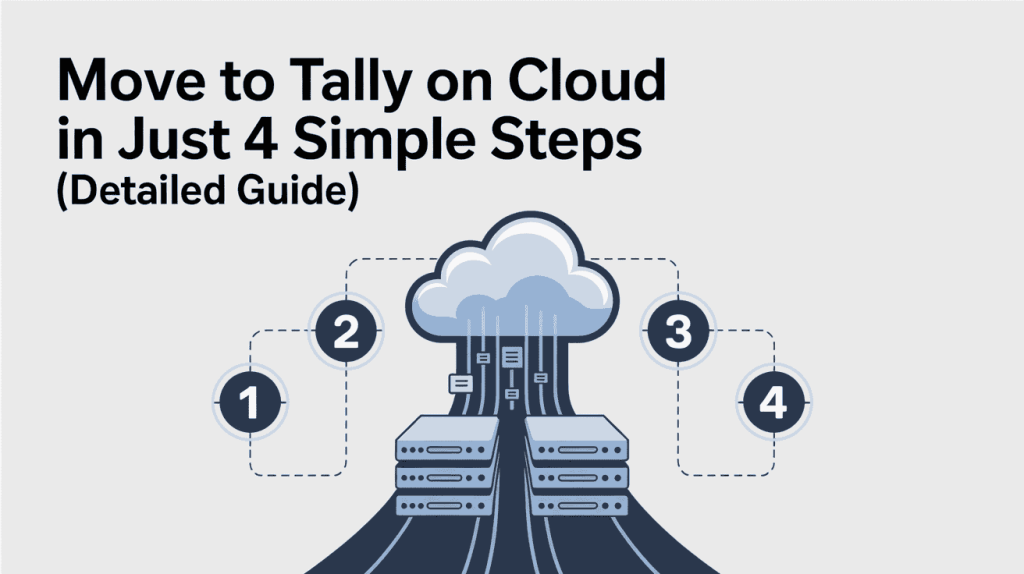
Move to Tally on Cloud in Just 4 Simple Steps (Detailed Guide)
Moving your accounting work to Tally on Cloud does not mean breaking your existing setup or learning something complex. With a lifetime Windows VPS for Tally, the process is simple, controlled, and safe. Below is a detailed step-by-step explanation so you know exactly what happens.
- Choose the right lifetime Windows VPS for Tally
- The first step is selecting a plan that matches your business needs.
- Consider how many company files you have, how many users will access Tally on Cloud at the same time and how much data you store.
- Small firms usually need less RAM and storage, while CAs managing multiple clients may need more.
- Once selected, this lifetime Windows VPS for Tally becomes your permanent server—no future renewals required.
- The first step is selecting a plan that matches your business needs.
- Access your server using Remote Desktop (RDP)
- After setup, Owrbit shares secure RDP login details with you. You open the Remote Desktop application on your computer, enter the server IP, username, and password, and connect.
- You will see a full Windows desktop, just like a normal office PC. This is where your Tally on Cloud will run.
- Install TallyPrime and restore your company data
- Inside the server, install TallyPrime exactly the same way you would on a local computer.
- After installation, restore your existing Tally backup files. All ledgers, vouchers, and reports appear as they were.
- At this point, your Tally on Cloud is fully functional and ready for daily work.
- Connect through an India-based VPN and start working
- To ensure proper access and smooth operation, many users connect the server through an India-based VPN like Surfshark.
- Once connected, you can run Tally on Cloud without interruptions, from any location.
If any step feels confusing, Owrbit’s support team helps with the complete migration. From server access to data restoration, they ensure your lifetime Windows VPS for Tally is set up correctly and runs smoothly from day one.
Who Should Choose Tally on Cloud with a Lifetime VPS?
Tally on Cloud with a lifetime Windows VPS for Tally is not for everyone—but for the right people, it solves real, daily problems. If you fall into any of the categories below, this setup makes practical and financial sense.

- Small business owners tired of monthly payments
- If you already own Tally and don’t want to keep paying every month just to access it online, a lifetime Windows VPS for Tally is ideal. You get Tally on Cloud without the stress of renewals or rising costs.
- Chartered Accountants handling multiple clients
- CAs often need stable access to Tally on Cloud for several company files. A single lifetime Windows VPS for Tally can host multiple client data safely, making work faster and more organized.
- Accounting firms with remote staff
- Teams working from different locations need shared access. Tally on Cloud on a lifetime Windows VPS for Tally lets multiple users work on the same data without sending files back and forth.
- Businesses with branch offices
- If your business runs from more than one location, Tally on Cloud ensures everyone works on the same live data. A lifetime Windows VPS for Tally removes location barriers completely.
- Owners who care about data control
- If you don’t like your financial data locked inside someone else’s system, this setup is for you. With a lifetime Windows VPS for Tally, your data stays on your server, under your control.
- Anyone planning long term
- If you plan to use Tally for years, paying monthly makes no sense. Tally on Cloud with a lifetime Windows VPS for Tally is built for people who think ahead and want stable, predictable costs.
If Tally is a daily part of your business, owning your Tally on Cloud setup is simply the smarter move.
Frequently Asked Questions :
Before making any long-term decision, it’s normal to have questions. Many business owners, accountants, and CAs ask similar things when they first hear about running Tally on Cloud using a lifetime Windows VPS for Tally. Below are the most common real-world questions people search online, along with clear and honest answers. These FAQs are meant to remove confusion, clear doubts, and help you decide whether this setup is right for your business.
How is Owrbit different from other Tally on Cloud providers?
Most providers charge monthly or per user and keep admin access hidden. Owrbit offers a one-time payment lifetime Windows VPS for Tally and gives you full Administrator access to the server.
Do I really pay only once?
Yes. With Owrbit, you pay one time for the Windows VPS for Tally. There are no monthly hosting charges, no renewals, and no hidden fees.
Will I get the Administrator password?
Yes. Owrbit provides full Administrator (Admin) access. You can install software, manage users, take backups, and fully control your Tally on Cloud environment.
Can I use my existing Tally license?
Yes. You can use your existing TallyPrime Silver or Gold license on the Owrbit Windows VPS for Tally. If required, TVU can also be configured.
Will Tally performance be fast?
Yes. Owrbit uses NVMe SSD storage and dedicated RAM, which keeps Tally on Cloud smooth, fast, and lag-free even during heavy usage.
Can I access Tally from mobile, Mac, or old laptops?
Yes. Tally on Cloud works on Windows, Mac, Android tablets, and even low-end laptops using Remote Desktop (RDP). No new hardware needed.
Is my data safe on a Windows VPS?
Yes. Data on a Windows VPS for Tally is safer than a local PC. Servers are protected against hardware failure, theft, and crashes. You can also enable automatic backups.
What happens if my local computer crashes?
Nothing happens to your data. Since Tally on Cloud runs on the VPS, your data stays safe and accessible from another device instantly.
Can Owrbit help migrate my existing Tally data?
Yes. Owrbit support helps with initial setup, Tally installation, and data migration so your move to Tally on Cloud is smooth and stress-free.
Do I need technical knowledge to manage this?
No. If you can use Windows and Tally, you can use a Windows VPS for Tally. Owrbit support is available if you need help.
Is this legal and compliant for Indian businesses?
Yes. Running Tally on Cloud on your own Windows VPS is fully legal. Your data stays under your control, which is often better for compliance.
Is this better than AWS or other big cloud platforms?
For Tally users, yes. AWS and similar platforms charge monthly forever and require technical setup. Owrbit keeps it simple, affordable, and ownership-based.
What is the biggest advantage of Owrbit’s Windows VPS for Tally?
The biggest advantage is ownership. You stop renting Tally on Cloud and start owning your server with fixed cost for life.
Who should not choose this?
If you only need Tally for a few weeks or months, monthly plans may be fine. A lifetime Windows VPS for Tally is best for long-term users.
If you’ve read this far, one thing should be clear: paying monthly forever for Tally on Cloud is not the only option anymore. A lifetime Windows VPS for Tally gives you control, cost stability, and long-term peace of mind. You stop worrying about renewals, price hikes, and access issues—and start owning your accounting setup like any other business asset.
Final Verdict: Stop Renting Tally on Cloud. Own It.
If you look at the bigger picture, the choice becomes very clear. Monthly Tally on Cloud plans may feel easy at the start, but over time they lock you into endless payments, rising costs, and limited control. For businesses that plan to use Tally for years, this rental model simply doesn’t make financial sense.
A lifetime Windows VPS for Tally is built for people who think long term. It gives you stable access to Tally on Cloud without worrying about renewals, price hikes, or service restrictions. Your data stays on your own server, your performance stays consistent, and your costs remain fixed. This is especially important for small businesses, accountants, and firms that depend on Tally every single day.
With Tally on Cloud running on a lifetime Windows VPS for Tally, you are not dependent on a provider’s rules. You decide how your system is used, who can access it, and how your data is protected. You get full control, full ownership, and peace of mind that your accounting setup won’t suddenly change because of a billing issue.
For anyone serious about cost-cutting and long-term stability, owning your Tally on Cloud setup is the smarter move. It’s not about choosing the cheapest option today—it’s about choosing the option that saves you the most over time.
Stop being a tenant. Become the landlord of your own cloud server.
Discover more from Owrbit
Subscribe to get the latest posts sent to your email.