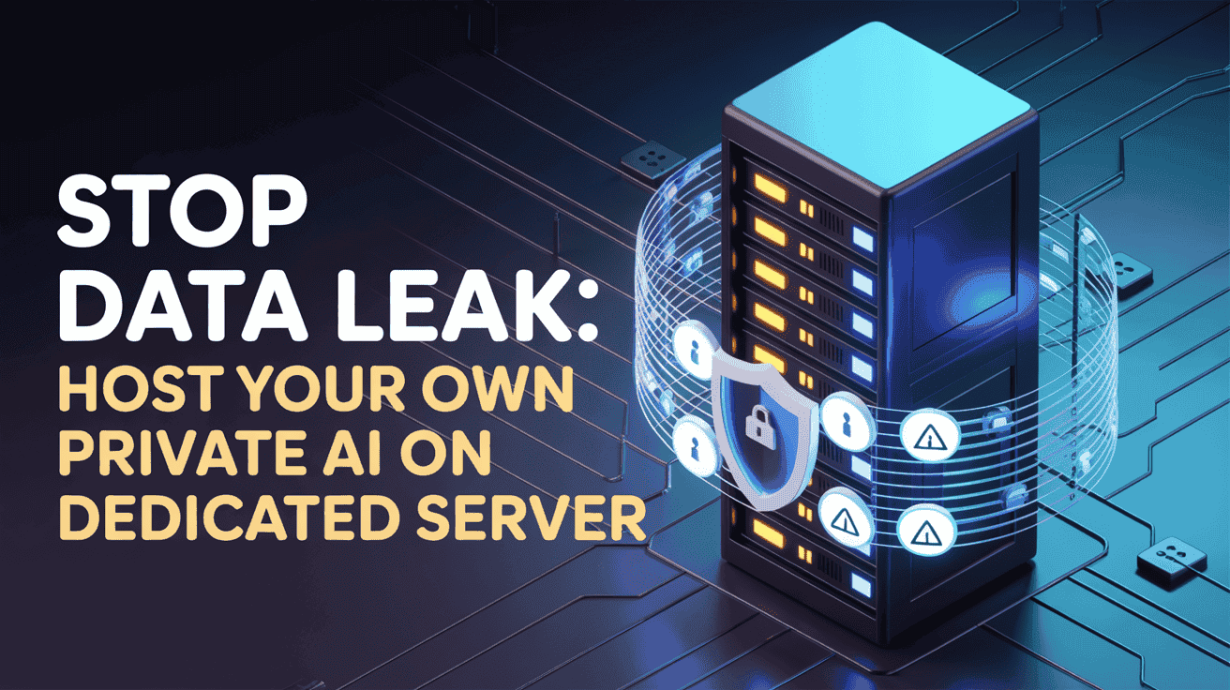
Every company today is facing the same problem: employees are pasting sensitive code, financial records, customer chats, and internal documents into public AI tools without thinking about what happens next. Once that data leaves your network, you lose control over it. It can be logged, stored, or even used to train future models. For a business, that risk is huge.
This fear isn’t imaginary. Major companies like Apple, Samsung, and many global banks have already banned the use of public AI tools inside their organization. They understand that sending private data to outside servers is a direct threat to their security, compliance, and intellectual property.
Every prompt you send to a public AI is an outbound data transfer your company can’t control.
There is only one real way to stop this: bring your AI in-house. When you run models like Llama 3 and DeepSeek on your own Self-Hosted AI Dedicated Server, you keep full control over how your data is processed, stored, encrypted, and deleted. This approach—often called data sovereignty—means the information never leaves your environment.
And this is where Owrbit steps in. With powerful dedicated machines, including options suited for DeepSeek Dedicated Server workloads, Owrbit gives companies the hardware they need to run private AI at scale. You decide where your data lives, who can access it, and how long logs stay on the system.
Before deploying, it’s important to understand your Private AI Hardware Requirements so you can choose the right Dedicated server for the size of your model and the speed your team needs. Owrbit’s dedicated servers make this process simple, secure, and fully under your control. This is how modern businesses protect their data while still using advanced AI every day.
Why Smart Businesses Are Ditching Public APIs?
Modern companies are moving away from public AI tools because the risks keep growing while the control keeps shrinking. Here’s why more teams are choosing their own Self-Hosted AI Dedicated Server instead of sending data to OpenAI or other third-party clouds.
- Your data should stay your data
- When you use public APIs, your prompts, files, and outputs pass through someone else’s Dedicated servers. You don’t control what’s logged or how long it’s stored.
- With an Owrbit Dedicated Server, everything stays inside your own environment, fully under your control.
- No surprise training or reuse of your information
- Public providers can update policies anytime. Even if they promise privacy today, you’re still trusting an external vendor.
- With your own DeepSeek Dedicated Server, there is zero chance your data is used to train future models because it never leaves your hardware.
- You make the rules, not the provider
- Public APIs have limits: rate caps, token restrictions, upload bans, and compliance challenges.
- Running AI on your own server means you decide access levels, encryption standards, logging, retention, and scaling.
- Better protection for sensitive material
- Companies handling code, financial data, medical notes, customer chats, or research can’t risk leaks.
- A private setup removes the fear of insider access, cloud misconfigurations, or shared infrastructure issues.
- Compliance becomes simpler
- Many industries—including finance, healthcare, legal, and government—cannot host private data outside controlled systems.
- Self-hosting AI Dedicated server solves this by keeping all processing inside your secured environment.
- Predictable costs, no token fees
- Instead of paying per request or per million tokens, a dedicated server gives you flat monthly pricing. You control the load, the usage, and the speed without unpredictable API bills.
By moving to their own Self-Hosted AI Dedicated Server, businesses gain privacy, ownership, and flexibility. Owrbit makes this shift easy with hardware designed for heavy AI workloads and full data isolation—exactly what modern teams need to stay secure and competitive.
With public APIs, you follow their rules. With a self-hosted ai Dedicated server, you create the rules.
Why Self-Hosting AI Is the Only Way to Protect Your Data :
More companies are realizing that public AI tools simply cannot guarantee true privacy. When sensitive information is involved, the safest and only reliable option is running your own Self-Hosted AI Server. Here’s why.
- Public AI Tools Are a Black Box
- When you send anything to OpenAI or Claude, you have no idea how it’s stored, who sees it, or how long it stays in their system. Even if they offer privacy controls, you’re still trusting a vendor you can’t audit.
- Data Training Opt-out is not enough. Without full ownership of the environment, your data is never fully safe.
- The Samsung and Apple Wake-Up Call
- Giants like Samsung, Apple, and JPMorgan have already banned employees from using ChatGPT on internal projects. They did this after private code and confidential instructions were accidentally leaked into public AI systems.
- If the largest tech companies in the world don’t trust public AI with their data, why should any business?
- True Data Sovereignty With Owrbit
- When you host Llama 3 or DeepSeek on an Owrbit Dedicated Server, the entire AI model lives on your hardware. Your prompts, embeddings, and outputs never leave the machine.
- The data doesn’t travel across the internet, doesn’t get logged by third parties, and cannot be intercepted. It stays on the metal you control, giving you absolute ownership.
- Compliance Becomes Effortless
- GDPR, HIPAA, SOC2, and most NDA agreements forbid sharing client data with outside services. Pasting client information into ChatGPT is a direct violation in many cases.
- A Self-Hosted AI Server solves this by keeping all processing local. It is the only setup that offers 100% compliance for teams handling confidential or regulated data.
- No Chance of Man-in-the-Middle Attacks
- Public APIs require your data to travel across global networks, often to US Dedicated servers. Every hop introduces risk.
- With an Owrbit DeepSeek Dedicated Server, you can keep the system behind your own VPN and firewall. No external exposure, no outside access, no interception points—just complete isolation.
Self-hosting gives you the privacy, control, and certainty that public AI platforms can never match. For any business that values security, the choice is clear.
VPS vs Dedicated Server for AI: Why Bare Metal Wins
Running AI models is demanding work. Large Language Models don’t just need power—they consume huge amounts of RAM, CPU, and fast storage. Here’s a simple comparison that shows why a Self-Hosted AI Server runs best on dedicated hardware instead of a shared VPS.
Bare metal performance is the hidden requirement behind every stable LLM deployment.
| Feature / Requirement | VPS (Shared Resources) | Dedicated Server (Bare Metal) | Why It Matters for AI |
|---|---|---|---|
| RAM Availability | Limited and shared with other users | Full RAM belongs only to you | LLMs like Llama 3 and DeepSeek need massive memory; shared RAM causes crashes or slow inference |
| CPU Performance | Throttled or limited by hypervisor | 100% of CPU cores are yours | AI token generation needs consistent CPU power without interruptions |
| Disk Speed | Often slower SSDs or mixed storage | High-speed NVMe SSDs on Owrbit | Faster model loading, quicker checkpointing, smoother streaming |
| Stability Under Load | Can lag or freeze when neighbors use resources | No competition; fully isolated | AI workloads are heavy and continuous—dedicated metal stays stable |
| Model Size Limits | Restricted due to capped RAM and storage | Supports large models (8B, 13B, 70B) easily | Bigger models = better accuracy and reasoning |
| Latency | Higher, unstable | Predictable, low-latency | Crucial for real-time AI chat, automation, and embeddings |
| Security & Privacy | Shared host = more risk | Fully isolated physical machine | Needed for private AI, NDAs, and compliance |
The Technical Truth :
LLMs eat RAM for breakfast. Even a smaller model like Llama 3 8B can use tens of gigabytes when running at full speed. On a VPS, those resources are limited and unpredictable, causing slowdowns, crashes, and timeouts.
VPS is perfect for websites. Dedicated servers are perfect for AI.
Why Dedicated Bare Metal Wins
A dedicated server gives you everything—full CPU, full RAM, and full disk performance. Nothing is shared. Nothing is throttled. This is exactly what AI workloads need.
The Owrbit Advantage :
Owrbit’s Dedicated Servers come with:
- High-speed NVMe SSDs for lightning-fast model loading
- DDR4 and DDR5 RAM options, perfect for heavy AI inference
- Stable, isolated bare-metal performance with no neighbors slowing you down
This is why teams running serious Self-Hosted AI Servers choose Owrbit. It delivers the raw power required to run DeepSeek, Llama 3, and other modern AI models smoothly and reliably.
The Hardware Cheat Sheet: What You Actually Need
Running AI models isn’t guesswork—you need clear hardware targets so your Self-Hosted AI Server runs smoothly. Here’s a simple guide to help you pick the right setup based on the models you plan to use.
Choosing the right hardware is the difference between a 1-second response and a 10-second delay.

Recommended Hardware for Popular Models :
| Model Type | Minimum RAM | Minimum CPU | Notes | Owrbit Recommendation |
|---|---|---|---|---|
| Llama 3 (8B Model) | 16 GB RAM | 4-core CPU | Suitable for lightweight tasks, chatbots, small automations | Intel Core i5 Plan (~$84/mo) — fast SSD, enough RAM for smooth inference |
| DeepSeek / Mixtral (Larger Models) | 64 GB RAM | 8-core CPU | Designed for heavier reasoning, long context, and higher throughput | AMD Ryzen 3600 64GB RAM Plan (~$145/mo) or Ryzen 5600 64GB RAM Plan (~$126/mo) |
| Advanced AI / Multi-Model Workloads | 128–256 GB RAM | 16-32 cores | For high-load inference, embeddings, fine-tuning, or serving multiple LLMs | Ryzen 9 9950X3D 128GB Plan (~$362/mo) or EPYC 7313P 256GB Plan (~$605/mo) |
Quick Breakdown :
- 16 GB RAM, 4 cores → Good for small Llama 3 tasks and lightweight chatbots.
- 64 GB RAM, 8 cores → Ideal for DeepSeek, Mixtral, and larger Llama models.
- 128–256 GB RAM → Best for scaling, parallel workloads, or hosting multiple models in production.
Owrbit’s Recommendation :
For businesses starting with private AI, the Ryzen 5600 (64 GB RAM, NVMe SSD) offers the best balance of power and price. It handles Llama 3, DeepSeek, and Mixtral models smoothly without bottlenecks.
If you want room to grow, the Ryzen 9 9950X3D (128 GB RAM) is the perfect long-term machine for serious AI workloads.
Step-by-Step: Install Llama 3 on Your Owrbit Dedicated Server:
Target: Ubuntu 22.04 LTS (recommended). Works similarly on Debian. If you use a different distro, adjust package manager commands.
Always run your AI under a VPN or internal network — never expose LLM APIs publicly
0) Pick the right Owrbit plan (quick recap)
Choose a plan above $100/month for reliable AI hosting:
- Ryzen 3600 — 64 GB RAM (~$145/mo): Good for DeepSeek / larger Llama variants (inference-only).
- Ryzen 5600 — 64 GB RAM (~$126/mo): Strong value / production testing.
- Ryzen 9 9950X3D — 128 GB RAM (~$362/mo): Production, multi-model, high concurrency.
- EPYC 7313P / 7543P — 256 GB RAM (~$605 / $725/mo): Enterprise-grade, large batches, heavy throughput.
These meet the Private AI Hardware Requirements for Llama 3 and DeepSeek inference.
1) Prepare the Dedicated server and connect (SSH)
- From your workstation:
ssh root@YOUR_SERVER_IP- Update packages:
apt update && apt upgrade -y
- Create a non-root admin user:
adduser deploy
usermod -aG sudo deploy
- (Optional) copy your SSH key to the new user:
mkdir -p /home/deploy/.ssh
echo "ssh-rsa AAAA... your-key" > /home/deploy/.ssh/authorized_keys
chown -R deploy:deploy /home/deploy/.ssh
chmod 700 /home/deploy/.ssh
chmod 600 /home/deploy/.ssh/authorized_keys
Now reconnect as that user:
ssh deploy@YOUR_SERVER_IP
2) System tuning & swap (important for models) :
If you’re close to minimum RAM (e.g., 64GB) add a swapfile to avoid OOM kills when models briefly spike.
# create 32G swap (adjust size as needed)
sudo fallocate -l 32G /swapfile
sudo chmod 600 /swapfile
sudo mkswap /swapfile
sudo swapon /swapfile
# make permanent
echo '/swapfile none swap sw 0 0' | sudo tee -a /etc/fstab
Increase file descriptors and ulimits (for heavy loads):
echo 'deploy soft nofile 65536' | sudo tee -a /etc/security/limits.conf
echo 'deploy hard nofile 65536' | sudo tee -a /etc/security/limits.conf
3) Install core dependencies
# basic build tools + python + curl + git
sudo apt install -y build-essential python3 python3-pip python3-venv curl git htop unzip
If you plan to use Docker (recommended for isolation):
# Docker (simplified)
curl -fsSL https://get.docker.com -o get-docker.sh
sudo sh get-docker.sh
sudo usermod -aG docker $USER
# log out and back in for docker group to take effect
4) Option A — Install Ollama (fastest, simplest path) :
Ollama lets you run Llama 3 locally easily. This is the recommended path for quick, private deployment on a Self-Hosted AI Server.
Install Ollama
# run as deploy (non-root) or root depending on installer
curl -fsSL https://ollama.com/install.sh | sh
ollama --version   # verify
Pull Llama 3
ollama pull llama3
This downloads model weights to disk (use NVMe). On 64GB RAM machines you can run mid-size variants comfortably.
Run Llama 3 locally
ollama run llama3
# for API mode (bind to 0.0.0.0 for internal network)
OLLAMA_HOST=0.0.0.0 ollama serve
Run as a systemd service (so it auto-starts on boot):
Create /etc/systemd/system/ollama.service:
[Unit]
Description=Ollama service
After=network.target

[Service]
User=deploy
Environment=OLLAMA_HOST=0.0.0.0
ExecStart=/usr/local/bin/ollama serve
Restart=on-failure
LimitNOFILE=65536

[Install]
WantedBy=multi-user.target
Enable and start:
sudo systemctl daemon-reload
sudo systemctl enable --now ollama.service
Secure the API
- If you serve on 0.0.0.0, restrict access with firewall or reverse proxy (see security section).
- Prefer to bind to localhost and use a reverse proxy that requires auth.
5) Option B — CPU-optimized llm inference with llama.cpp (no Docker needed)
Use llama.cpp or GGML builds for CPU-only quantized inference — good when you don’t have GPU hardware.
Install dependencies and build
sudo apt install -y cmake
git clone https://github.com/ggerganov/llama.cpp
cd llama.cpp
make
# copy quantized model file (.ggml) into a models/ folder
Run
./main -m ./models/llama3-8b.ggml q
# replace with actual filename / flags depending on build
Note: llama.cpp uses quantized models, which are smaller in memory and run on CPU. Performance is lower than GPU-based vLLM/TensorRT but can be cost-effective.
6) Storage & model placement (NVMe is crucial)
- Put model files on NVMe storage (fast random read) — Owrbit NVMe plans help here.
- Use a dedicated path, e.g.
/opt/models/llama3/. - Ensure sufficient free space: Llama 3 variants vary in size; keep extra space for swaps and checkpoints.
Example:
sudo mkdir -p /opt/models/llama3
sudo chown deploy:deploy /opt/models/llama3
# copy model files here
7) Networking & firewall
Use UFW to restrict access:
sudo apt install -y ufw
sudo ufw default deny incoming
sudo ufw default allow outgoing
# allow ssh and internal API port (11434 or your chosen port)
sudo ufw allow 22/tcp
sudo ufw allow from 10.0.0.0/8 to any port 11434 proto tcp   # example internal network
sudo ufw enable
If you expose the API externally, place it behind a VPN or require mutual TLS. Do NOT allow public unrestricted access.
8) Reverse proxy & TLS (optional for secure API)
Use Caddy (auto TLS) or Nginx as reverse proxy. Example Nginx proxy (bind to localhost API):
Nginx basic config:
server {
    listen 443 ssl;
    server_name ai.yourdomain.com;

    ssl_certificate /etc/letsencrypt/live/ai.yourdomain.com/fullchain.pem;
    ssl_certificate_key /etc/letsencrypt/live/ai.yourdomain.com/privkey.pem;

    location / {
        proxy_pass http://127.0.0.1:11434;
        proxy_set_header Host $host;
        proxy_set_header X-Real-IP $remote_addr;
        proxy_set_header X-Forwarded-For $proxy_add_x_forwarded_for;
    }
}
Use Let’s Encrypt certbot to obtain certificates, or use a corporate CA. For fully private setups you can avoid public certificates and use internal CA + VPN.
9) Authentication & access controls
- Put the API behind an internal network or VPN.
- If you must expose it, add an API gateway that enforces API keys and rate limits.
- Keep model access limited by Linux user permissions and containerization (Docker).
- Log access only to internal, encrypted log stores; rotate logs frequently.
10) Example: Launch + API call (end-to-end)
- Start ollama serve (systemd should handle it).
- From an approved internal machine:
curl -X POST "https://ai.yourdomain.com/api/generate" \
  -H "Authorization: Bearer <YOUR_TOKEN>" \
  -H "Content-Type: application/json" \
  -d '{"prompt":"Write a short privacy policy", "max_tokens":200}'
11) Next steps & optional extras
- Add logging + SIEM integration (Splunk, ELK) for audit trails.
- Add rate limiting and request quotas in a gateway (Kong, Traefik, Nginx).
- Consider HSM or KMS for encrypting model keys and secret values.
- If scaling, use a load-balancer in front of multiple dedicated inference nodes, or use dedicated GPU nodes for heavy jobs.
12) Final notes (capacity planning)
- Llama 3 8B: target 16–32 GB RAM for lightweight use, 64GB recommended for reliability.
- Larger Llama/DeepSeek variants: 64–256 GB RAM depending on model size and concurrency.
- If you expect concurrency or long contexts, oversize RAM and choose Ryzen 9 or EPYC plans on Owrbit.
3 Powerful Ways Your Business Can Use Private Self-Hosted AI Server
A private AI setup isn’t just about protecting data—it opens up everyday workflows your team can start using immediately. Here are the most useful and high-impact applications businesses deploy on their Self-Hosted AI Server.

• Secure Internal Coding Assistant
Give your developers an AI tool that actually understands your codebase—without leaking it outside your network.
With a private coding assistant on your Owrbit Dedicated Server, your team can:
- Analyze and understand legacy code
- Fix bugs and detect security issues
- Write new modules or functions
- Generate documentation automatically
- Refactor entire sections safely
Because all code stays on your own hardware, it becomes safe to use AI for sensitive engineering work.
• Private HR & Legal Document Intelligence
Your HR and legal teams often handle documents that should never be uploaded to public AI tools. A Self-Hosted AI Server solves this.
It can process and analyze:
- Internal policies and employee handbooks
- Contracts, NDAs, and legal agreements
- Compliance frameworks and audit files
- Hiring documents and confidential PDF archives
You get instant search, summaries, and insights—without ever sending confidential files to an outside API.
• On-Prem Customer Support Automation
Serve customers faster and cheaper by using AI that runs entirely inside your organization.
With a DeepSeek Dedicated Server, your business can:
- Auto-draft customer email responses
- Summarize support tickets
- Suggest solutions for agents
- Generate FAQ updates or knowledge-base content
- Run chatbots without any per-token costs
Your customer data stays protected, and your support team gets a major productivity boost.
A private AI environment opens the door to safer coding, smarter document workflows, and more efficient customer support—all without relying on external clouds. This is the real power of running your AI stack on your own dedicated hardware.
Cost Analysis: Owrbit Dedicated Server vs. OpenAI API
When choosing between running your own Self-Hosted AI Server or paying for a public API like OpenAI, the biggest deciding factor—after privacy—is cost. Below is a simple breakdown showing how fast API costs can climb and when a dedicated server becomes the smarter financial choice.
How Public API Pricing Works :
Public AI APIs charge per token, both input and output.
This means:
- More prompts = more cost
- Longer responses = more cost
- More users = more cost
- Automated tasks running 24/7 = a lot more cost
So as usage scales, your monthly bill grows directly with it.
Cost Scenarios: API vs Owrbit Dedicated Server
Scenario 1: Moderate Usage
Estimated usage: 5–10 million tokens/month
API cost: Around $100–$500+ per month depending on prompt sizes and frequency
Comparable Owrbit plan:
- Ryzen 5600, 64GB RAM (~$126/mo)
- Ryzen 3600, 64GB RAM (~$145/mo)
At moderate usage, costs are similar at first… but as soon as usage grows, API costs spike while the Dedicated server cost stays fixed.
Scenario 2: Heavy / Production Usage
Estimated usage: Tens of millions of tokens per month, multiple users, long outputs
API cost: Easily $1,000–$3,000+ per month
Comparable Owrbit plan:
- Ryzen 9 9950X3D, 128GB RAM (~$362/mo)
- EPYC 7313P, 256GB RAM (~$605/mo)
- EPYC 7543P, 256GB RAM (~$725/mo)
A single predictable monthly payment replaces unpredictable token bills.
Why Dedicated Servers Win for Cost Over Time :
- Flat monthly pricing
- You pay the same amount whether you generate 1,000 tokens or 100 million tokens.
- No surprise charges
- No token overages, no hidden usage spikes.
- Runs multiple models at once
- Pay once and host Llama 3, DeepSeek, Mixtral, embeddings models, automations—without extra cost.
- Scales with your workload
- Heavy usage doesn’t increase cost; you only upgrade hardware when you want to.
When API Might Still Make Sense
- You only use AI occasionally
- You don’t need privacy or compliance
- You don’t want to manage any infrastructure
- You prefer a plug-and-play solution with minimal control
For small experiments, API pricing is fine.
For any real business usage, it becomes expensive fast.
If your business plans to use AI consistently—even moderately—Owrbit’s Dedicated Servers above $100/month become far more cost-efficient than relying on public APIs.
For teams running automation, long-context prompts, agent workflows, or multiple users, the difference in yearly cost is massive. And unlike API providers, self-hosting gives you privacy, control, and unlimited usage.
How to Get Dedicated Servers from Owrbit (Step-by-Step)
Getting your own Self-Hosted AI Server from Owrbit is simple. Just follow these steps to choose the right hardware, configure it properly, and get online fast.
Step 1: Navigate to the Right Page
Go to Owrbit.com and click on the Dedicated Servers section from the main menu.
This takes you directly to the page where all AI-ready Dedicated servers are listed with clear specs, pricing, and configuration options.
Step 2: Choose Your Power Level
Pick a Dedicated server based on the size of the AI models you plan to run.
- For Llama 3 (8B model): choose a plan with at least 32GB RAM.
- For DeepSeek, Mixtral, or anything 33B+: choose 64GB or 128GB RAM.
- For heavy production workloads: consider 256GB RAM EPYC plans.
Owrbit lists CPU cores, RAM, and storage clearly so you know exactly what you’re paying for. This transparency makes it easy to match your hardware to your Private AI Hardware Requirements.
Step 3: Configure Your Dedicated Server (The Customization Page)
Once you pick a plan, customize it for AI performance:
- Operating System: Choose Ubuntu 22.04 or Debian 11/12 — the best environments for AI tools like Ollama, llama.cpp, and vLLM.
- Storage Type: Make sure NVMe SSD is selected. This is crucial because NVMe drastically speeds up model loading and inference.
- Bandwidth: Owrbit includes generous bandwidth so you can download models, updates, and datasets without worrying about limits.
Your selections will be reflected instantly so you see exactly what you’re getting before checkout.
Step 4: Checkout & Instant Provisioning
Complete the secure checkout process.
As soon as your payment is confirmed, Owrbit begins provisioning your Self-Hosted AI server immediately.
No waiting days for manual setup — your dedicated machine is deployed within 24 hrs so you can begin installing Llama 3 or DeepSeek right away.
Step 5: Access Your Self-Hosted AI Server
After provisioning, you’ll receive an email with:
- Server IP Address
- Username
- Root Password (or SSH login details depending on your setup)
You can now log in via SSH and follow the installation tutorial you saw earlier to start running your AI workloads.
Pro Tip: Get Managed Support
If you’re not a server expert, simply tick the Managed Support add-on during checkout.
This gives you hands-on help with initial setup, security hardening, and optimization—perfect for teams who want a ready-to-run Self-Hosted AI Server without the technical overhead.
Frequently Asked Questions About Self-Hosting AI
Here are the most common questions businesses ask before moving from public APIs to their own Self-Hosted AI Server. These answers will help your readers understand the benefits, requirements, and practical expectations of running AI on Owrbit hardware.
How much RAM do I need to run these models?
It depends on model size:
Llama 3 (8B): 16–32GB minimum
DeepSeek/Mixtral (33B+): 64GB minimum
Heavy workloads or multiple models: 128–256GB
Owrbit offers several plans above $100/month that match these Private AI Hardware Requirements.
Can I use a VPS instead of a Dedicated Server?
Technically yes, but not recommended.
VPS resources are shared and often unstable under heavy AI workloads. LLMs require stable, guaranteed RAM and CPU. A Dedicated Server provides the raw, isolated power needed for smooth inference.
Is self-hosting hard to set up?
Not really. Tools like Ollama make installation simple, even for beginners.
Plus, Owrbit offers a Managed Support add-on so the setup, security hardening, and configuration can be handled for you.
Is self-hosting more expensive than using OpenAI?
Only at very low usage levels.
For teams running AI regularly, API bills can climb into hundreds or thousands per month.
A dedicated server gives you unlimited usage for a flat monthly cost. No token charges. No surprises.
Can I run multiple models on one Owrbit server?
Yes. With enough RAM (64–256GB), you can run multiple LLMs, embedding models, and automation scripts on the same machine.
This gives far more flexibility than a per-model API subscription.
Is my data 100% private when self-hosting?
Yes — as long as you keep the server secured behind a VPN or firewall.
Your prompts never leave the machine, and the model never sends logs to external vendors. This is why self-hosting is popular in finance, healthcare, legal, and government sectors.
Can I fine-tune or customize the models?
Yes. With local control, you can fine-tune, quantize, or optimize Llama 3, DeepSeek, or Mixtral depending on your hardware.
This level of customization is not available with most public APIs.
What operating system should I choose?
Ubuntu 22.04 and Debian 11/12 are the best options.
They offer the cleanest support for Ollama, llama.cpp, vLLM, and GPU frameworks.
How long does provisioning take on Owrbit?
Provisioning begins immediately after payment.
Unlike some providers that take days, Owrbit deploys your bare-metal server quickly so you can start installing models right away.
Still have questions? Reach out to Owrbit anytime — our team is here to help you build a secure, fast, and fully private AI environment that fits your business needs.
Final Conclusion: Take Control of Your AI Future Today
Every business is moving toward AI—but only the smart ones are protecting their data while doing it. Public APIs will always come with risks you can’t control: logging, retention, policy changes, and the constant fear of leaks. Self-hosting puts you back in command of your privacy, your performance, and your costs.
Your data is your most valuable asset—protect it with infrastructure you own.
Don’t wait for a breach, a compliance issue, or an accidental leak to force the decision.
Take the proactive path.
Secure your company’s future today with an Owrbit Dedicated Server and build a private AI fortress that keeps your data where it belongs—under your ownership, on your hardware, inside your network.
Start now: Visit the Dedicated Servers page and choose the machine that will power your private AI stack.
Discover more from Owrbit
Subscribe to get the latest posts sent to your email.