
Seeing a white screen with the message “508 Resource Limit Is Reached” can be stressful. Your website suddenly stops loading, visitors see an error page, and sometimes the message says the server is temporarily unable to handle the request. When this happens during a traffic spike or while customers are visiting your site, it can feel like everything is breaking at once.
The important thing to know is that this issue is very common on shared hosting. It usually happens when your account reaches certain limits such as CPU usage, memory, or entry processes set by the hosting server.
A sudden 508 Resource Limit error doesn’t just block incoming traffic; it breaks customer trust. For a growing business, hitting an entry process limit during a marketing campaign translates directly into wasted ad spend and lost revenue.
The good news is that you can often fix 508 resource limit is reached without immediately upgrading your hosting plan. In many cases, you can also fix exceeded resource limit in hosting simply by identifying what is consuming too many resources and optimizing your website.
In this guide, we will walk through practical steps you can follow to fix 508 resource limit is reached and fix exceeded resource limit in hosting so your website becomes stable again. Many website owners successfully fix 508 resource limit is reached and fix exceeded resource limit in hosting just by making a few simple changes to their website setup.
What Does “508 Resource Limit Is Reached” Actually Mean?
To properly fix 508 resource limit is reached, you first need to understand what the error actually means.
Most modern shared hosting servers use CloudLinux, a special operating system designed to keep servers stable even when thousands of websites are running on the same machine. CloudLinux does this using something called LVE (Lightweight Virtual Environment).
LVE (Lightweight Virtual Environment) is a kernel-level technology developed by CloudLinux. It ensures that no single website can bring down a web server by isolating each tenant and providing them with dedicated, capped resources.
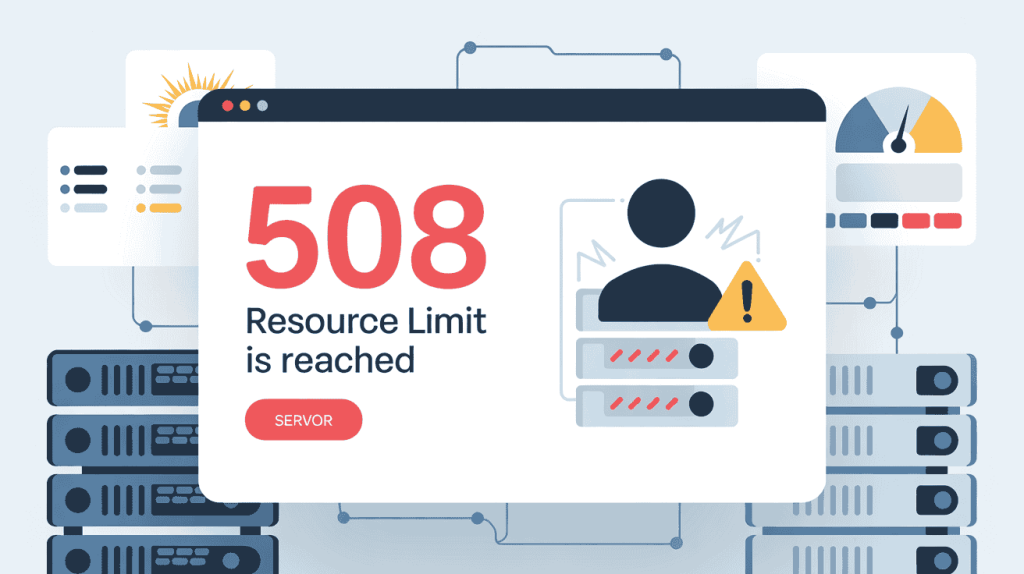
Think of LVE as a resource container for every hosting account. Your website gets its own limited share of server resources so that one site cannot slow down or crash the entire server. While this keeps servers stable, it also means your account has strict limits.
When your website crosses those limits, the server immediately stops new requests and shows the 508 error. At this point, you need to fix exceeded resource limit in hosting by reducing the load your site is creating.
Most of the time, you will see the 508 error when one of the three main limits is reached.
The Three Most Common Limits That Cause the 508 Error :
When you see this error, it usually means one of the main server limits has been reached. Understanding these limits makes it much easier to fix 508 resource limit is reached and fix exceeded resource limit in hosting. Most shared hosting servers using CloudLinux enforce three key LVE limits.
CPU Usage :
CPU usage is the amount of processing power your website consumes while generating pages. Every time someone visits your site, the server runs PHP scripts, loads plugins, and queries the database. All of these tasks require CPU resources.
If your website uses too much CPU for too long, the server will stop accepting new requests and you will see the 508 error. High CPU usage is commonly caused by heavy plugins, poorly coded themes, large database queries, frequent cron jobs, or sudden traffic spikes. To fix 508 resource limit is reached caused by CPU spikes, you usually need caching, plugin optimization, and fewer background processes. Many website owners fix exceeded resource limit in hosting simply by reducing unnecessary CPU load.
Physical Memory (RAM) :
RAM is the memory your website uses while processing requests. When scripts run, databases are queried, and plugins load data, the server temporarily stores that information in memory. If a website requires more RAM than the hosting account allows, the server blocks further requests.
High RAM usage often comes from large plugins, complex database queries, poorly optimized themes, or applications that load too many resources at once. If this happens frequently, you may need to fix exceeded resource limit in hosting by optimizing database queries, reducing plugin usage, and enabling object caching. These changes can often fix 508 resource limit is reached without needing a bigger hosting plan.
Entry Processes (Concurrent Connections) :
Entry processes represent how many visitors can connect to your website at the same time. Each new visitor request counts as an entry process while the server starts processing it. Once the request is completed, the entry process slot becomes available again.
This is the most common reason websites hit the 508 error. Traffic spikes, aggressive bots, API calls, or poorly cached pages can easily consume all available entry processes. When this happens, the server stops accepting new connections and you must fix 508 resource limit is reached by reducing the number of simultaneous requests.
Blocking bad bots, enabling full-page caching, and using a CDN can help fix exceeded resource limit in hosting caused by too many concurrent connections. Once you control request load and optimize performance, many websites successfully fix 508 resource limit is reached and fix exceeded resource limit in hosting without upgrading their plan.
Top Causes for an Exceeded Resource Limit in Hosting :
Understanding the root cause is the fastest way to fix 508 resource limit is reached and fix exceeded resource limit in hosting. In most cases, the error is not random. It usually happens because something on your website is consuming more resources than your hosting account allows. Below are the most common causes.
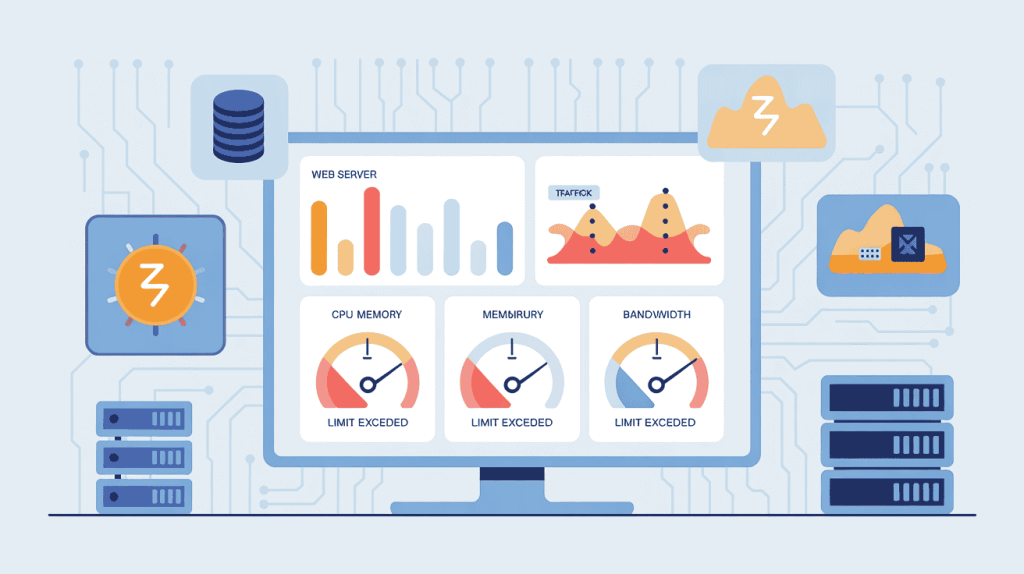
- Legitimate Traffic Spikes
Sometimes the problem is actually good news. If your website suddenly receives a large number of visitors from a viral post, marketing campaign, or seasonal sale, the server may struggle to process all requests at once.
On shared hosting, CloudLinux limits how many resources each account can use. When too many visitors access your website at the same time, entry processes and CPU usage increase quickly. Once the limit is reached, the server temporarily blocks new requests and the error appears.
In this situation, you may need caching, a CDN, and page optimization to fix 508 resource limit is reached. Proper caching can significantly reduce server load and help fix exceeded resource limit in hosting during traffic spikes.
Not every visitor is a real user. Many websites receive heavy traffic from bots that crawl pages for scraping, indexing, or data collection. Some bots behave normally, but others can send hundreds of requests within seconds.
AI scrapers, bad bots, and overly aggressive crawlers can quickly consume entry processes and CPU resources. When too many automated requests hit your server, your hosting account may exceed limits even if real traffic is low.
Blocking bad bots using a firewall, enabling rate limiting, and using security tools can help fix 508 resource limit is reached. These steps also help fix exceeded resource limit in hosting caused by automated traffic.
According to industry security reports, automated bot traffic now accounts for nearly half of all internet traffic, with a significant portion being malicious scrapers that drain server resources.
3. Resource-Heavy Plugins or Themes
Many websites, especially WordPress sites, rely on plugins and themes. However, poorly coded plugins can consume large amounts of CPU and memory every time a page loads.
Some plugins constantly run background processes, generate complex database queries, or load unnecessary scripts on every page. Over time, these processes increase server load and trigger the 508 error.
Removing unnecessary plugins, replacing heavy ones with lightweight alternatives, and keeping themes optimized can help fix 508 resource limit is reached. Cleaning up plugin usage is one of the most effective ways to fix exceeded resource limit in hosting.
4. Unoptimized Database Queries
Databases play a major role in how websites function. Every page request usually requires multiple database queries. If those queries are slow or poorly optimized, they can keep server processes active for too long.
Large databases, missing indexes, and bloated tables can significantly slow down queries. When database requests take too long to complete, entry processes remain occupied and new visitors cannot be served.
An unoptimized database query is the silent killer of server resources. A single slow query can lock up an Entry Process for several seconds, creating a massive backlog that quickly triggers a 508 error even under normal traffic conditions.
Optimizing database tables, removing unused data, and implementing object caching can dramatically reduce server load. These improvements often help fix 508 resource limit is reached and fix exceeded resource limit in hosting by making database operations much faster.
Step-by-Step: How to Fix “508 Resource Limit Is Reached” Right Now
If your website is currently showing the error, the first priority is to identify what is consuming resources. In many cases, you can fix 508 resource limit is reached within minutes once you know where the spike is coming from. Follow the steps below to diagnose the problem and fix exceeded resource limit in hosting without upgrading your plan.
Step 1: Check Your Resource Usage Logs
The first step to fix 508 resource limit is reached is to identify which resource limit was triggered.
Most hosting providers using CloudLinux allow you to view LVE resource usage graphs in the control panel. If your hosting uses DirectAdmin, you can usually find this under:
Account Manager → Resource Usage → Usage Details
If you use cPanel, the section is usually called Resource Usage or CPU and Concurrent Connection Usage.
Inside this section you will typically see graphs for:
- CPU usage
- Physical memory (RAM)
- Entry processes
- I/O usage
Look for spikes during the time the error occurred. For example:
- If CPU usage spikes, a plugin or script is likely consuming too many resources.
- If entry processes hit the limit, too many visitors or bots are connecting simultaneously.
- If memory usage spikes, a plugin, theme, or large query may be using too much RAM.
Checking these graphs is the fastest way to fix exceeded resource limit in hosting because it tells you exactly where the problem is happening. Once you identify the bottleneck, you can start working to fix 508 resource limit is reached properly.
Step 2: Identify and Block Bad Bots
Bots are one of the most common hidden reasons websites hit server limits. Some bots behave normally, but others aggressively crawl your site and generate hundreds of requests per minute.
To fix 508 resource limit is reached caused by bots, start by checking your website traffic logs.
Most hosting panels provide Awstats or Raw Access Logs. In DirectAdmin you can usually find them under:
Site Summary / Statistics → Awstats
Look for unusual patterns such as:
- one IP sending hundreds of requests
- unknown crawlers requesting many pages per second
- repeated hits to dynamic URLs
If you identify suspicious IP addresses, you can block them using the .htaccess file.
Example:
Deny from 123.45.67.89Blocking aggressive bots can quickly reduce server load and help fix exceeded resource limit in hosting. Many websites manage to fix 508 resource limit is reached simply by filtering out bad traffic.
Step 3: Tame the WordPress Heartbeat API
If you run WordPress, the Heartbeat API can quietly consume a lot of CPU resources.
The WordPress Heartbeat API sends frequent background requests to the server to autosave content, update dashboards, and manage sessions. While useful, these constant requests increase CPU usage and entry processes.
On busy websites, this can easily trigger the error and force you to fix exceeded resource limit in hosting.
You can reduce this load by limiting the Heartbeat frequency. The easiest way to do this is by installing a lightweight plugin such as Heartbeat Control.
Once installed, you can:
- reduce heartbeat frequency
- disable heartbeat on the dashboard
- disable it on the frontend if unnecessary
Limiting these background requests helps reduce server load and can quickly fix 508 resource limit is reached for many WordPress websites.
Step 4: Enable Aggressive Caching
Caching is one of the most powerful ways to fix 508 resource limit is reached and fix exceeded resource limit in hosting.
Normally when someone visits your website, the server must:
- execute PHP scripts
- query the database
- generate the page dynamically
This process consumes CPU, RAM, and entry processes.
Dynamic page generation is incredibly expensive for a server’s CPU. By implementing aggressive full-page caching, a website can serve thousands of concurrent visitors using only a fraction of the processing power and memory.
With caching enabled, the server stores pre-generated HTML versions of pages. When visitors request a page, the server simply serves the static file instead of running the entire application again.
This drastically reduces server load.
You can enable caching using plugins such as:
- LiteSpeed Cache
- WP Rocket
- W3 Total Cache
Pair caching with a Content Delivery Network (CDN) to offload bandwidth and reduce requests to your server.
Proper caching alone can often fix exceeded resource limit in hosting and permanently fix 508 resource limit is reached for many websites running on shared hosting.
Case Study: When a Viral Traffic Spike Triggers the 508 Error
A small e-commerce store selling handmade accessories launched a new product collection. The owner promoted it through social media and email marketing. Within a few hours, the campaign started gaining attention and traffic began increasing rapidly.
At first, everything looked great. Visitors were coming in, orders were starting to appear, and the product launch seemed successful. But soon after the traffic spike, customers started reporting that the website was not loading.

Instead of the store homepage, visitors were seeing a white screen with the 508 Resource Limit Is Reached error. During the busiest moment of their product launch, the website went down. The owner had to quickly find a way to fix 508 resource limit is reached and fix exceeded resource limit in hosting before losing more sales.
The Investigation: Optimizing Everything Possible
The store owner first checked their hosting control panel and noticed that entry processes and CPU usage were constantly hitting the limit.
They began applying several optimizations to fix 508 resource limit is reached:
- enabled full page caching
- compressed images and optimized assets
- removed a few heavy plugins
- limited background WordPress processes
- blocked aggressive crawlers hitting product pages
These improvements helped reduce server load and partially fix exceeded resource limit in hosting. The site became more stable and fewer errors appeared.
However, every time traffic increased again, the limits were still being reached.
The Real Lesson: Growth Can Outgrow Shared Hosting
After several rounds of optimization, the store owner realized something important. The website itself was no longer the main problem. The hosting environment was.
Budget shared hosting often places hundreds or even thousands of websites on the same server, each restricted by strict CloudLinux resource limits. Even after trying multiple optimizations to fix 508 resource limit is reached and fix exceeded resource limit in hosting, the account simply did not have enough headroom to handle the new level of traffic.
The lesson is simple: optimization can help a lot, but it only works up to a point. When a website grows, it eventually needs hosting infrastructure that can support that growth without constantly triggering limits.
The Permanent Fix: When Your Website Needs Better Infrastructure
If you have tried all the optimization steps and still see the error, it does not necessarily mean your website is broken. In many cases, the real issue is the hosting environment itself. When websites grow, they eventually reach the limits of entry-level shared hosting. At that point, trying to constantly fix 508 resource limit is reached becomes a temporary solution rather than a permanent one.
Why Budget Shared Hosting Creates Resource Problems :
Most low-cost hosting providers rely on an aggressive business model. To keep prices extremely cheap, they place hundreds or sometimes thousands of websites on a single server.
To prevent one website from crashing the entire server, these providers use CloudLinux LVE limits to heavily restrict how much CPU, RAM, and entry processes each account can use. While this protects server stability, it also means your website operates inside a very tight resource container.
The traditional budget hosting model relies heavily on server density. By strictly enforcing LVE limits, providers can safely place thousands of domains on a single machine. However, this architecture inherently starves growing websites of the CPU and RAM they need to scale.
The moment your site experiences real growth, marketing success, or even moderate traffic spikes, those limits are quickly reached. At that point you will repeatedly try to fix exceeded resource limit in hosting and fix 508 resource limit is reached because the hosting platform simply cannot provide enough breathing room.
Many website owners think something is wrong with their site, but in reality the hosting environment is artificially choking legitimate traffic.
The Owrbit Approach: Hosting Built for Real Traffic
Instead of packing thousands of accounts onto a single server, Owrbit focuses on performance-first hosting infrastructure designed for growing websites.
The platform is built on an optimized server stack using lightweight, high-performance environments such as DirectAdmin. Combined with efficient server management and automated WHMCS provisioning, this setup allows resources to be allocated more intelligently and efficiently.
This means websites running on Owrbit have more headroom for CPU usage, memory, and concurrent connections, which dramatically reduces the chances of hitting strict limits.
Rather than constantly trying to fix 508 resource limit is reached or fix exceeded resource limit in hosting, the goal is to provide an environment where legitimate traffic spikes are handled smoothly.
When a blog post goes viral, a marketing campaign succeeds, or a product launch drives new visitors, the server should be ready to handle that growth. With a properly optimized hosting environment, traffic surges become an opportunity instead of a server error.
Frequently Asked Questions (FAQ) :
Many website owners run into the same confusion when they see the 508 error for the first time. Below are the most common questions people search for when trying to fix 508 resource limit is reached or fix exceeded resource limit in hosting. These answers will help you understand the problem, diagnose it faster, and take the right steps to stabilize your website.
Why does the 508 Resource Limit error happen?
The error usually occurs when your website receives too much traffic or when scripts consume excessive server resources. Common reasons include traffic spikes, poorly optimized plugins, heavy database queries, aggressive bot crawlers, or background processes running too frequently. On shared hosting, servers enforce strict resource caps to keep one account from affecting others. When these limits are reached, the error appears until resource usage drops. Understanding the cause helps you fix 508 resource limit is reached and fix exceeded resource limit in hosting effectively.
How can I quickly fix 508 resource limit is reached?
You can often fix 508 resource limit is reached by reducing how much server power your website uses. Start by enabling full-page caching, optimizing images, disabling unnecessary plugins, and limiting WordPress Heartbeat activity. Checking resource usage graphs in your hosting control panel can also help identify which limit was exceeded. Blocking aggressive bots and enabling a CDN can significantly reduce server load. These optimizations are common ways to fix exceeded resource limit in hosting without immediately upgrading your hosting plan.
Is the 508 error caused by high website traffic?
Yes, sometimes high traffic can trigger the error. If your website suddenly receives a large number of visitors, the server may not have enough CPU power or entry processes available to handle all requests simultaneously. This is especially common on shared hosting servers where resources are limited. Enabling caching and using a CDN can help distribute the load and fix 508 resource limit is reached during traffic spikes.
What are entry processes in hosting?
Entry processes refer to the number of simultaneous connections your website can handle at one time. Each new visitor request uses one entry process until the server finishes processing it. If too many visitors access the site simultaneously, all available entry processes may be used. When this happens, the server blocks additional requests and shows the 508 error. Reducing dynamic requests with caching is one of the best ways to fix exceeded resource limit in hosting caused by entry process limits.
Can WordPress plugins cause the 508 error?
Yes, heavy or poorly coded plugins are one of the most common causes. Some plugins generate complex database queries or run constant background processes that consume CPU and memory. When these plugins overload the server, the hosting account may hit its LVE limits. Removing unnecessary plugins, replacing heavy ones with optimized alternatives, and enabling caching can help fix 508 resource limit is reached.
How do I check which resource limit my website exceeded?
Most hosting providers allow you to view resource usage graphs in the control panel. In DirectAdmin or cPanel, you can usually find a section called Resource Usage or CPU and Concurrent Connections. These graphs show CPU usage, RAM consumption, entry processes, and I/O activity. By checking these logs, you can determine what caused the spike and take steps to fix exceeded resource limit in hosting.
Can bad bots cause the 508 Resource Limit error?
Yes. Aggressive bots or scrapers can send hundreds of requests to your website within seconds. These automated requests consume entry processes and CPU resources very quickly. If too many bot requests occur at once, your hosting account may exceed its limits even if real traffic is low. Blocking suspicious IP addresses and using firewall rules can help fix 508 resource limit is reached caused by bot traffic.
Will upgrading my hosting plan fix the 508 error?
Sometimes yes, but not always immediately. If your website consistently hits resource limits even after optimization, it may have outgrown entry-level shared hosting. In that case, moving to a hosting environment with more generous resource allocations can permanently fix exceeded resource limit in hosting. A well-optimized hosting platform should allow your website to handle traffic spikes without repeatedly triggering resource errors.
If you followed the steps in this guide, there is a strong chance you were able to fix 508 resource limit is reached or at least identify what is causing the issue. In many cases, simple optimizations can successfully fix exceeded resource limit in hosting and keep your website running smoothly.
However, if your website continues to hit limits even after optimization, it usually means your site has grown beyond the constraints of entry-level shared hosting. At that point, the best long-term solution is moving to a hosting environment built to handle real traffic without constantly forcing you to fix 508 resource limit is reached again and again.
Final Thoughts: Fix the Root Cause, Not Just the Error
Seeing the 508 error can be frustrating, especially when your website suddenly stops working during important traffic moments. In most cases, the solution starts with proper optimization. Enabling caching, cleaning up heavy plugins, controlling bots, and optimizing your database can often fix 508 resource limit is reached and stabilize your website. These steps also help many site owners fix exceeded resource limit in hosting without immediately upgrading their plan.
However, optimization has limits. If your website keeps growing and continues to hit resource limits, the real solution may be a better hosting environment. Instead of constantly trying to fix 508 resource limit is reached, moving to a performance-focused platform like Owrbit can give your website the resources it needs to handle real traffic without restrictions.
Discover more from Owrbit
Subscribe to get the latest posts sent to your email.