
Choosing the right operating system for your Docker VPS in 2026 is no longer a simple decision—especially after the end of CentOS 7. As officially stated by Red Hat, “On June 30, 2024, CentOS Linux 7 reached end of life (EOL), and the CentOS Project discontinued updates and releases.” With CentOS officially gone, most developers and system admins are now choosing between two major replacements: AlmaLinux and Rocky Linux.
At first glance both look almost identical. They are built to be compatible with Red Hat Enterprise Linux and promise the same stability and enterprise-grade reliability. But when you actually run Docker on them—especially on a VPS—the differences start to show.
For containerized workloads “speed” isn’t just about CPU performance. It’s about how efficiently the OS handles Docker processes, how quickly containers start how lightweight the system feels and how fast security updates are delivered. This is where the real comparison of AlmaLinux vs Rocky Linux Docker overhead begins.
In this guide we’ll break everything down in simple terms. We’ll look at which is the best RHEL replacement for containerized workloads and which one truly acts as a lightweight Enterprise Linux for Docker VPS. From container startup times to system resource usage and update speed you’ll clearly see which OS performs better under real Docker workloads.
By the end, you’ll have a clear answer: which Linux distribution gives you faster deployments, smoother scaling and fewer headaches when running Docker on a VPS in 2026.

AlmaLinux vs Rocky Linux Docker: Quick Comparison Table
If you don’t want to go through the full technical breakdown here’s a quick 30-second comparison of AlmaLinux vs Rocky Linux for Docker VPS performance.
Both are based on Red Hat Enterprise Linux but their approach to updates and packaging creates small yet important differences—especially for containerized workloads.
| Feature | AlmaLinux | Rocky Linux |
|---|---|---|
| Base Image Size | Slightly smaller, optimized for containers | Slightly larger, strict RHEL rebuild |
| Docker Overhead | Lower in most real-world Docker workloads | Slightly higher due to conservative updates |
| Patch Speed | Faster (ABI-based flexible updates) | Slower (strict 1:1 rebuild process) |
| Security Patch Latency | Quicker CVE response time | Slight delay due to rebuild validation |
| Kernel Version | RHEL-compatible with faster patch rollout | Bit-for-bit identical to RHEL |
| Container Start-up Time | Very fast (on par with Rocky Linux) | Very fast (on par with AlmaLinux) |
| CPU Scheduling / Latency | Equal (same RHEL kernel base) | Equal (same RHEL kernel base) |
| Idle RAM Usage | Slightly lower (better for high-density containers) | Slightly higher but stable |
| Disk Footprint | Leaner minimal install | Slightly heavier minimal install |
| Image Pull Speed | Faster due to smaller images | Slightly slower depending on image size |
| Update Frequency | More frequent updates | Follows RHEL release timing strictly |
| Stability | High | Very High (exact RHEL behavior) |
| CI/CD Pipeline Efficiency | Better due to faster base image updates | Slightly slower due to delayed updates |
| Ecosystem Flexibility | More flexible (ABI compatibility model) | Rigid (strict rebuild policy) |
| Enterprise Compatibility | Fully compatible with RHEL | 100% identical to RHEL |
| Community Support | Backed by AlmaLinux OS Foundation (rapid growth) | Strong community, led by CentOS co-founder |
| Best Use Case | Docker VPS, cloud-native apps, fast DevOps | Enterprise workloads, compliance-heavy environments |
- If your priority is speed, faster patching and lower AlmaLinux vs Rocky Linux Docker overhead, AlmaLinux is the better fit
- If your priority is strict compatibility and predictable enterprise behavior, Rocky Linux is more suitable
For most modern users looking for a lightweight Enterprise Linux for Docker VPS, the differences in image size and patch speed can directly impact deployment time, security and overall system efficiency.
Best RHEL Replacement for Containerized Workloads (2026)
After the shift away from CentOS 7, developers needed a reliable replacement that works smoothly with Docker. The two strongest options today are AlmaLinux and Rocky Linux.
Both are built from Red Hat Enterprise Linux so on paper they look almost identical. But for Docker VPS users especially those running production containers the difference lies in how each handles updates and system behavior under load. This directly impacts Docker overhead, container performance and update reliability—making it critical when choosing the best RHEL replacement for containerized workloads.

AlmaLinux: The ABI Compatibility Advantage
AlmaLinux uses an ABI (Application Binary Interface) compatibility model which allows it to stay compatible with RHEL without strictly copying every package line-by-line.
In simple terms, applications built for RHEL run the same but AlmaLinux has the flexibility to release updates faster. It does not need to wait for an exact rebuild before pushing fixes.

For Docker environments this brings practical benefits:
- Faster security patches, reducing risk for running containers
- More up-to-date Docker base images, improving CI/CD workflows
- Consistent system optimization, helping reduce AlmaLinux vs Rocky Linux Docker overhead
As the AlmaLinux OS Foundation officially announced, their core engineering goal is to be “ABI compatible with RHEL,” meaning that any software certified for RHEL will run seamlessly, but the OS is no longer restricted to a slow, strict 1:1 rebuild cycle.
This makes AlmaLinux a strong choice if you are looking for a lightweight Enterprise Linux for Docker VPS where speed and efficiency matter.
Rocky Linux: The 1:1 Bug-for-Bug Standard
Rocky Linux takes a stricter approach with 1:1 bug-for-bug compatibility with Red Hat Enterprise Linux.
This means every package is rebuilt to match RHEL exactly—even down to minor bugs. The advantage is maximum stability and predictability which is why many “purists” and enterprise environments prefer it.
However this approach introduces a small trade-off in Docker-focused setups:
- Updates can be slightly delayed because exact replication takes time
- Security patches may arrive later compared to more flexible systems
- Docker base images may not be refreshed as quickly
Rocky Linux takes a stricter approach. According to the project’s foundational goals, it is designed to be “100% bug-for-bug compatible with Red Hat Enterprise Linux.“ This means every package is rebuilt to match RHEL exactly—even down to minor bugs.
For general server use, this is not a major issue. But in fast-moving container environments where deployment speed and patch timing matter it can impact performance and workflow efficiency.
AlmaLinux & Rocky Linux Docker Benchmarks:
When comparing AlmaLinux and Rocky Linux for Docker workloads most users expect a clear winner in raw speed. In reality both are built on the same Red Hat Enterprise Linux kernel which means their core performance is nearly identical.
The real difference shows up not in raw CPU power but in how efficiently each OS behaves in a live Docker environment—especially under updates, resource pressure and scaling conditions
In reality, both are built on the same Red Hat Enterprise Linux kernel. As the official Docker documentation explains, “a container runs natively on Linux and shares the kernel of the host machine.” Because both OS options share that identical upstream RHEL kernel, their raw core compute performance is effectively a tie.
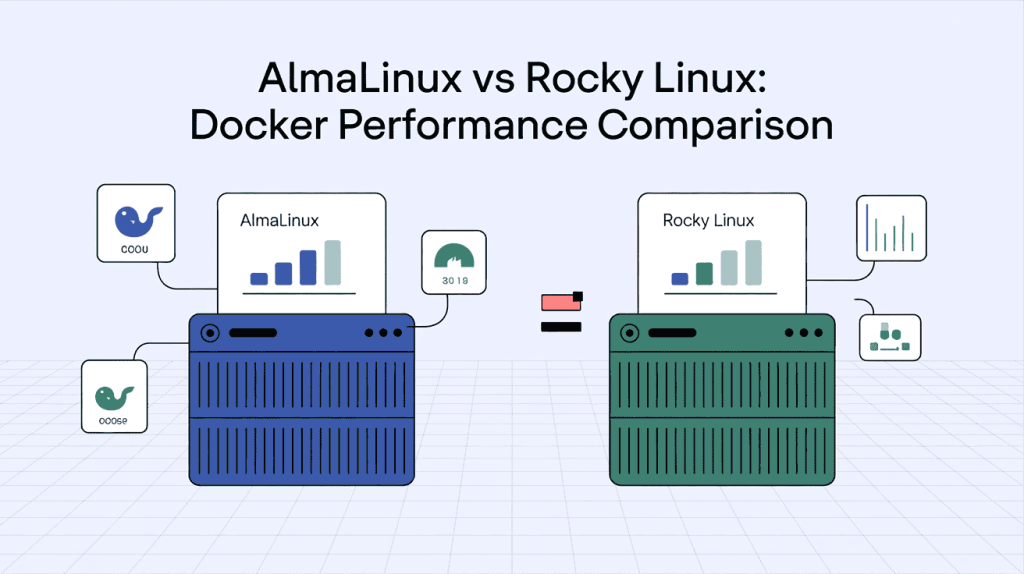
Container Start-up Times & CPU Latency :
In controlled tests on similar VPS setups:

- Container start-up times are almost identical on both distributions
- CPU latency and scheduling remain consistent due to the shared RHEL kernel
- No major difference in raw compute performance under standard workloads
This means if you are only measuring pure speed it is effectively a tie.
However, Docker performance is not just about how fast a container starts—it is about how the system behaves over time.
Where the difference begins: Update Velocity
- AlmaLinux pushes updates faster due to its flexible ABI model
- Rocky Linux takes slightly longer because of strict 1:1 rebuild requirements
In real-world DevOps workflows, this affects:
- How quickly your Docker host adapts to new kernel improvements
- How fast performance patches are applied
- How stable your containers remain during continuous deployments
So while raw speed is equal, long-term performance consistency often favors AlmaLinux.
Resource Overhead: RAM and Disk Usage
For anyone running a Docker VPS, resource usage directly impacts cost and scalability. The less overhead your OS uses the more resources are available for containers.
Both distributions are minimal by design but small differences matter at scale.

Observed trends in Docker environments:
- AlmaLinux
- Slightly leaner base image sizes
- Marginally lower idle RAM usage
- Faster image pull and deploy cycles
- Rocky Linux
- Comparable footprint but sometimes slightly heavier base images
- Stable but less optimized update cycles
Pro-Tip for testing overhead:
Want to see the difference yourself? Once you spin up your VPS, you can check the real-time overhead of the Docker daemon on either OS by running this command in your terminal:
systemctl status docker && systemd-cgtopThis will show you exactly how much memory and CPU the background Docker service is consuming before you even launch a container.
Why this matters
- Lower RAM usage = more containers per VPS
- Smaller images = faster CI/CD pipelines
- Reduced overhead = better ROI on cloud hosting
This is why AlmaLinux is often considered a better lightweight Enterprise Linux for Docker VPS, especially for high-density container deployments
The “Speed of Security”: Which OS Patches Faster?
In a modern VPS environment, performance is not just about CPU or RAM—it is also about how quickly your system is protected from new vulnerabilities.
Every delay in patching a known CVE can expose running containers to risk.
- AlmaLinux :
- Faster build and release pipeline
- Security patches are often available sooner
- Better suited for fast-moving DevOps environments
- Rocky Linux :
- Waits for exact RHEL rebuild before releasing updates
- Slight delay in patch availability
- Prioritizes accuracy over speed
Impact on Docker workloads :
- Faster patching reduces vulnerability windows
- Keeps container hosts secure without long delays
- Ensures compliance in dynamic environments
In short when it comes to the “speed of security”, AlmaLinux has a measurable advantage—especially for teams running production containers on public VPS infrastructure.
Frequently Asked Questions (FAQs):
Still confused about choosing between AlmaLinux and Rocky Linux for your Docker VPS? Here are the most commonly asked questions by developers, DevOps engineers and VPS users—answered in a simple and practical way.
Is there any performance difference between AlmaLinux and Rocky Linux?
In terms of raw CPU and kernel performance, there is almost no difference because both use the same RHEL base. However, in real-world Docker environments, AlmaLinux often feels faster due to:
- More frequent updates
- Slightly lower RAM usage
- Faster base image refresh cycles
This directly impacts AlmaLinux vs Rocky Linux Docker overhead.
Which OS has lower Docker overhead?
AlmaLinux generally has lower Docker overhead, making it a better choice for high-density container environments. It uses fewer system resources, leaving more RAM and CPU available for your applications.
Is AlmaLinux a good replacement for CentOS 7?
Yes, AlmaLinux is one of the best replacements for CentOS 7. It is fully compatible with Red Hat Enterprise Linux and offers:
- Long-term support
- Faster patching
- Better performance for Docker workloads
Why do some users still prefer Rocky Linux?
Rocky Linux is preferred by users who want exact 1:1 compatibility with RHEL. It follows a strict “bug-for-bug” approach, which ensures:
- Maximum stability
- Predictable behavior
- Strong compliance support
This makes it ideal for enterprise environments with strict requirements.
Which Linux distro is more secure for Docker in 2026?
Both are secure, but AlmaLinux often patches vulnerabilities faster, reducing exposure time to new threats (CVEs). In a VPS environment, this “speed of security” is critical for protecting running containers.
Which is better for CI/CD pipelines: AlmaLinux or Rocky Linux?
AlmaLinux is generally better for CI/CD pipelines because:
- Base images are updated more frequently
- Builds are more consistent
- Deployment cycles are faster
This makes it a strong choice for modern DevOps workflows.
Does AlmaLinux or Rocky Linux use less RAM?
AlmaLinux typically uses slightly less RAM, especially in minimal installations. This makes it a more lightweight Enterprise Linux for Docker VPS, allowing you to run more containers on the same server.
Are AlmaLinux and Rocky Linux free to use?
Yes, both AlmaLinux and Rocky Linux are completely free and open-source alternatives to Red Hat Enterprise Linux, with no licensing cost for VPS or cloud deployments.
. Which is the best RHEL replacement for containerized workloads?
For most users running Docker, AlmaLinux is considered the best RHEL replacement for containerized workloads due to its:
- Faster updates
- Lower system overhead
- Better performance in dynamic environments
Can I run Docker and Kubernetes on both AlmaLinux and Rocky Linux?
Yes, both operating systems fully support Docker and Kubernetes. However, AlmaLinux may provide a smoother experience in fast-scaling environments due to quicker updates and better resource efficiency.
Which OS should I choose for my VPS in 2026?
Choose AlmaLinux if you want:
- Faster performance
- Lower Docker overhead
- Better for cloud and microservices
- Choose Rocky Linux if you need:
- Exact RHEL compatibility
- Maximum stability
- Enterprise-grade compliance
We hope these answers helped you understand the real differences in the AlmaLinux vs Rocky Linux Docker comparison. If you’re planning to deploy a high-performance VPS, choosing the right OS along with the right hosting platform—like Owrbit—can make a significant difference in speed, security and scalability.
Final Verdict: Choosing the Right OS for Your VPS
Both distributions are strong, reliable and fully capable of running Docker at scale. The right choice depends on your specific use case.
Choose AlmaLinux if you need:
- Faster updates and security patches
- Better efficiency in Docker environments
- Optimized resource usage for container density
- A practical best RHEL replacement for containerized workloads
Choose Rocky Linux if you need:
- Strict 1:1 compatibility with Red Hat Enterprise Linux
- Maximum stability and predictability
- Compliance-focused infrastructure
For most modern VPS users running Docker the difference is clear.
If your goal is performance, faster deployments and minimal Docker overhead, AlmaLinux is the better choice.
If your goal is perfect replication of RHEL behavior in controlled enterprise environments, Rocky Linux remains a dependable option.
In high-performance, cloud-native setups, even small gains in update speed and resource efficiency can make a significant difference—especially when scaling containers across multiple VPS instances.
Discover more from Owrbit
Subscribe to get the latest posts sent to your email.